Ever stared at a blank word document before a user testing session thinking, “What should I actually ask my participant?” You’re not alone. Writing good user testing questions is trickier than it looks, but it’s the key to getting real insights instead of guesses.
This common conundrum is why we put together this guide, which includes 70+ example questions you can use before, during, and after your user testing session. Plus, we’ll show you how to write questions that avoid bias, get honest answers, and actually make your testing more effective.
You’ll learn:
- 🔑 How to write user testing questions that actually work
- 📋 Pre-test or screener questions to recruit the right participants
- 🧪 During-test questions to capture actionable feedback
- ✅ Post-test questions to wrap up and gather reflections
- ⚠ Questions to avoid
What is a good user testing question? [definition and examples]
Before we dig into all the example questions we’ve gathered for you, we wanted to talk about how to write good user testing questions.
To be clear, a good research question:
- Prompts participants to provide useful, actionable insights
- Avoids bias (aka leading the participant to a certain answer)
- Aligns with your research goal
Quick examples:
❌ “Do you like this product?” → Leading
✅ “How would you describe your experience with this feature?” → Neutral, open, insight-friendly
💡 Learn more about how to identify and reduce bias in your research.
How to write effective user testing questions:
1. Start with your research plan. Determine what specific information you need to learn in order to answer your overall research question. For example, instead of “improve the UX of our mobile app,” you’ll want to articulate a more specific goal, e.g. “understand which steps in the purchase flow are most likely to result in cart abandonment and why.”
2. Know your participants. Make sure your testing participants match the characteristics needed to provide relevant, usable information.
💡 Learn more about how to identify and recruit the right audience.
3. Choose the right method. Think about how you'll run the test—moderated or unmoderated, in-person or remote, task-based or exploratory.
4. Write clear, neutral questions. Focus on behaviors, experiences, and actions, not what you hope the answer will be.
5. Test for bias. Ask someone to review your questions and make sure they’re understandable and neutral. Think human-centric rather than product-centric.
Pro Tip: Frameworks like Nikki Anderson's Taxonomy of Cognitive Domain chart at the UX Collective is a nifty cheat-sheet for writing questions that get to the heart of what you’re hoping to learn:
💡 Note for those interested: The taxonomy of cognitive domain comes from the idea that there are six categories of cognitive ability: knowledge (information recall), comprehension (actually understanding what you can recall), application (the ability to use that knowledge in a practical way), analysis (the ability to draw insights out of given information), synthesis (the ability to create something new from what is known), and evaluation (the ability to make judgments about what is known).
Open vs. closed questions
There are two main types of usability testing questions: open and closed.
Neither a closed question or an open question is inherently better or worse than the other—but using the wrong type of question at the wrong time can introduce bias and fail to get you the data you need.
📚 Related Reading: How to Write UX Research Interview Questions to Get the Most Insight
70+ user testing questions to ask before, during, and after a user test
Usability testing governs any testing around how a user might work with or navigate the product you’ve created. It’s commonly used to make sure that navigation, onboarding, and other aspects of a site or tool work as intended. If there are any hiccups or confusing instructions, it’s how you’ll find out about them.
📌 Gearing up for your next user testing project? Take the pain out of recruiting participants with User Interviews. Tell us who you need, and we’ll get them on your calendar. Sign up today.
What are the best questions to ask before a user test or in a screener survey?
Many of the questions you ask prior to a user test can be covered in your screener survey. However, you may want to repeat some or all of the questions in-session for the chance to confirm the participant’s answers and ask for follow-up information.
The questions you ask prior to a user test should cover information about the participants’ demographics (if applicable) and current behaviors, experience, and attitudes.
Here are some examples of questions to ask pre-test:
- Tell us about yourself.
- How old are you?
- What is your gender identity?
- What is your profession?
- What is your household income?
- What is the highest level of education you’ve completed?
- How much do you already know about [product or task]?
- How often do you do [tasks that your product solves for]?
- How would you rate your confidence level in using [product] on a scale of 1 to 10?
- How often (if ever) do you use [products]?
- How often (if ever) do you use [brand’s products]?
- When was the last time you bought [product]?
- In an average week, how much money do you spend on [product]?
- In an average week, how much time do you spend doing [task]?
- Do you own or have access to [tools needed to complete the test]?
What are the best questions to ask during a user test?
The questions you ask during the session are the most important. In this section, we’ve laid out some of the best questions to ask during a user test (categorized by test type), as well as some effective follow-up questions to help you dig for more information.
⛺ Product survey questions
A product survey can be used to generate ideas for improving an existing product, testing an idea, or even getting feedback on a beta version. If you’re looking for quick feedback, you can ask multiple-choice questions. But it’s worth throwing in a few free response questions to see what extra info you can get from respondents.
Multiple Choice Product Survey Questions:
- Is [product] something you need or don’t need?
- How easy is [product] to use?
- Have you recommended [product] to anyone you know?
- Do you know anyone who could use [product]?
- If yes, would you recommend it to them?
- Did anything about [product] frustrate you when you were using it?
- If a positive response, ask: “We’re sorry to hear that! Please explain.”
- How did you first hear about [product]?
- How often do you buy [product]?
- How often do you buy [competitors’ products]?
- When is the last time you used [product]?
Open-Ended Product Survey Questions:
- Do you currently have anything that does what [product] does? Explain.
- What do you think [product] is best used for?
- What are all the ways you use [product]?
- What do you like best about [product]?
In addition to these types of questions, you can list a series of features or aspects of the product you’re testing and ask participants to rate them on a given scale.
🎯 Task analysis questions
How we think someone performs a task and how they actually perform the task can be very different. And unless you perform a task analysis study, you don’t know what you don’t know.
Task analysis is best done before you’ve solidified the user flow for a new product. It helps you understand factors such as cultural or environmental influences on how someone performs that task. If being present to observe how people approach the task is critical, you’ll want to conduct an ethnographic field study. Otherwise, you can still get a wealth of information from user interviews.
Here are a few questions you might ask during task analysis:
- When do you need to complete [task]?
- Walk me through every step you take to complete [task].
- What additional tools do you need to complete [task]?
- I noticed you chose to do [action]. Why is that?
- What are the most annoying steps in [process to complete the task]?
- What are your favorite parts about [task]?
- How have you completed [task] when in a rush?
- How do your [colleagues/friends/family/etc.] complete [task]?
- Where did you learn how to do [task]?
- How did you feel when learning how to do [task]?
- Have you ever failed to complete [task]?
- What would happen if you couldn’t complete [task]?
🗂️ Card sorting questions
Card sorting can be moderated or unmoderated. The benefit of a moderated session is that you can remind test participants to think out loud, granting access to the reasoning process they go through to make sorting decisions. If all you care about is the end result, however, unmoderated is the way to go.
Most of the work in setting up a good card sort is done before the exercise starts. You’ll need to give participants some context as to what they’re doing ahead of time (at least for most studies).
Whether or not you give them categories for the cards or have them write their own is up to you.
If you do ask any questions during the card sorting process, consider these:
- Why did you put [card] with [group] and not the others?
- (If a participant left one or more cards unsorted) Why didn’t you sort [card]?
- Are there [card topics] you expected to see, but didn’t?
- If you could add a category beyond the given ones, what would it be?
🌱 Beta testing questions
Many of the questions & scenarios we’ve discussed through now (and will continue to discuss in the usability section below) would be appropriate during beta testing. But there are some beta testing questions we haven’t covered, like how to ask potential customers about pricing.
We had a great conversation with Marie Prokopets about how she and FYI co-founder Hiten Shah failed and then succeeded with a product launch.
Consider asking these beta testing questions:
- What tools are you currently using for [general pain point you solve]?
- How can you participate in helping build the software?
- Are you willing to use the product daily and give brutally honest feedback on your experience?
- How would you feel if you could no longer use [product name]? (Answer options from "very disappointed" to "not disappointed")
- Why would you be not disappointed/very disappointed?
- A list of 4-6 pain points that you think your audience has, followed by two questions: Which of these is most painful to you and which is least painful to you?
- At what monthly price would you consider a subscription to be: Too expensive to consider purchasing? Getting expensive but you would consider purchasing? A bargain — a great buy for the money? So expensive that you would question the quality and not consider it?
💻 Website user testing questions
Website usability testing can be moderated or unmoderated. Conducting moderated tests means you can react to problems in the moment and better understand what the user is thinking. Unmoderated tests are convenient and can result in valuable insights as long as you leave good instructions and the testers explain what they’re thinking.
Preparing a focused test is arguably more important than the questions you ask during the session. But a few well-placed questions, especially if the participant isn’t as talkative as you hoped, can keep things on track.
Consider asking these web app usability testing questions:
- How often do you use [your website]?
- (As they’re completing the test) What’s going through your mind right now?
- Is there anything on the page that confuses you?
- (If a user is surprised by something) What were you expecting to happen when you [task]?
- Was anything about your experience frustrating?
- Did [task] take as long as you expected it to?
- Was there something missing from [flow you had the user go through]?
- How did this compare to [similar process for competitor]?
- Do you think there is an easier way to accomplish [process] than what you just did?
During the testing session, keep on eye on how they respond to what’s in front of them. Does anything distract them from the specific tasks you gave them? Do they completely miss something you think is important? How quickly can they find what they need? Do they take a circuitous route to solve what you thought was a simple problem? How do they react to usability issues?
📱 Mobile app user testing questions
To be honest, most of the questions you need to ask for website usability testing are the same for mobile app usability testing sessions. While your testing environment may look a little different, the goals are mostly the same.
Still, there are a few extra mobile app user testing questions worth mentioning:
- Do the permissions requested by this app seem reasonable to you?
- Why or why not?
- Have you ever had trouble signing into the app?
- (If the user is testing in the wild) Could you hear [notification/other cause of sound]?
As with website testing, pay attention to trouble spots — do they linger on a task you think should be easy? Are there places where the app is slow or annoys them? Do they make any verbal cues (“Ooh,” “Ah,” “Hmm,” and so forth) at specific parts of the flow you’re testing?
👉 Follow-up questions for moderated sessions
Sometimes, the best information you’ll get in the whole session comes from follow-up questions. Perhaps it’s just a matter of you mimicking what they just said (“The navbar disappeared ... ?”) and waiting for them to expound on that statement.
For the sake of variety, here are a few different ways of getting a participant to explain themselves:
- Tell me more.
- Could you explain what you mean by that?
- Oh?
- Why is that?
- Why do you think that is?
- Is there anything I should have asked you today that I didn’t?
What are the best questions to ask after a user test?
Following a user test, you’ll mostly want to ask questions related to users’ overall impression.
Effective questions to ask after a user test include:
- How would you describe your overall experience with [product]?
- What did you like most/least about your experience and why?
- What, if anything, surprised you about your experience?
- Would you use this product again in real life? If so, how frequently would you use this product?
- What features would make you use this product more often?
- What would stop you from using this product in the future?
- If you could change anything about your experience, what would you change?
- How would you compare [our product] to [a competitor’s product]?
- On a scale of 1-10 how likely are you to recommend this product to a friend?
📚 Related Reading: How to Ask Great User Research Questions with Amy Chess of Amazon
What questions should I avoid in user testing?
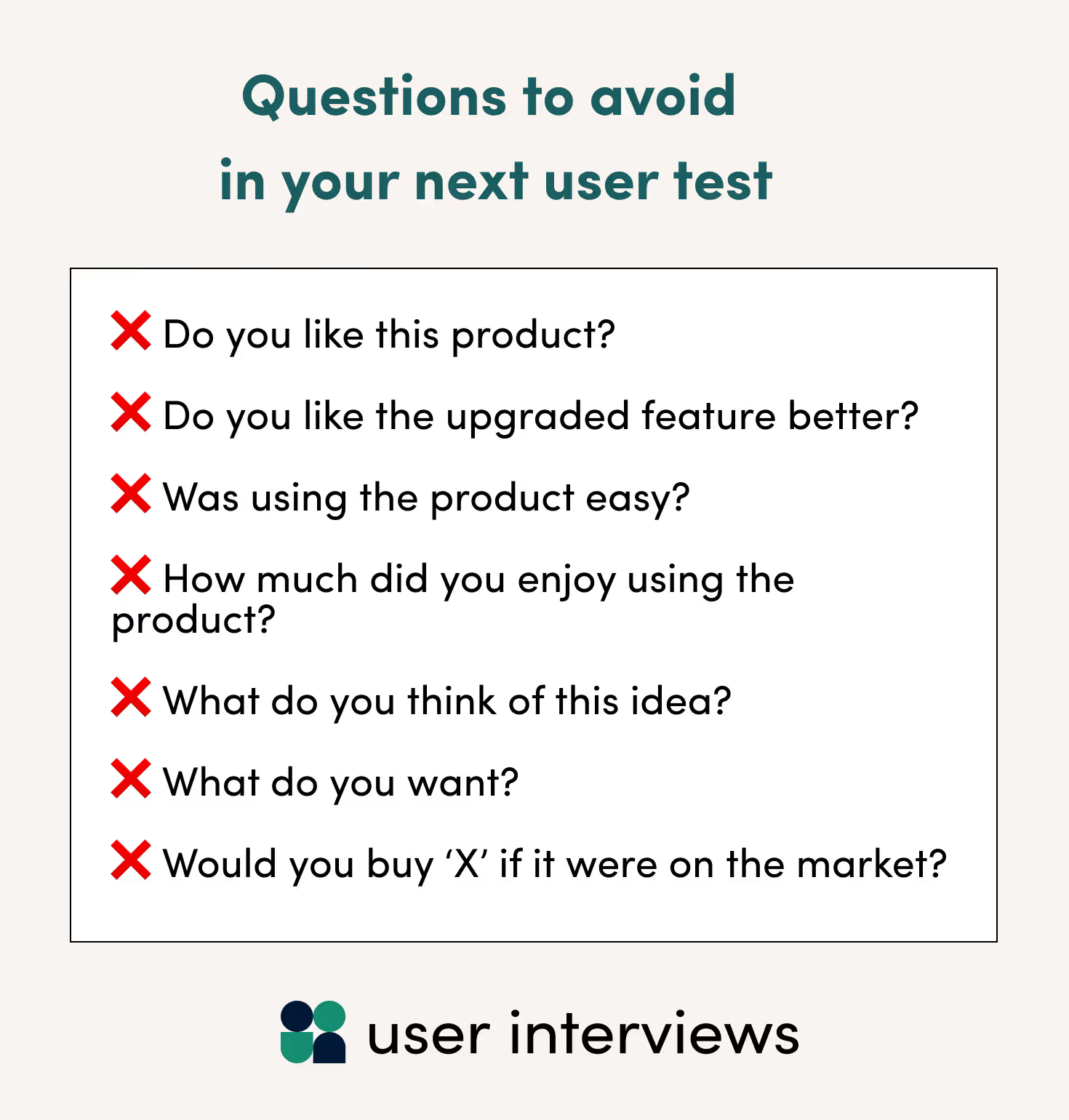
When user testing, you should keep questions neutral and actionable. With that in mind, here are a few questions to avoid asking in your next user test:
- Do you like this product?
- Do you like the upgraded feature better?
- How easy was it to use the product?
- How much did you enjoy using the product?
- What do you think of this idea?
- What do you want?
- Would you buy ‘X’ if it were on the market?
The first four questions are leading, because they imply the desired answer within the question (e.g. identifying the "upgraded" feature will give participants the sense that it's the one they should like better).
These last three questions are poor because humans are notoriously bad at predicting their own behavior. Plus, there can be a real difference between what people think they want and what they’ll actually choose to solve a problem when the time comes.
Quick Cheat Sheet for User Testing Questions
Happy asking!
You definitely won’t need all 70+ questions from this guide for each project you undertake. You’ll probably need to write additional questions specific to your work. Hopefully, these are enough to get you started.
Even with the right questions and testing methodology, you won’t get very far without recruiting great participants. If you’d like to make recruiting quick and (relatively) painless, consider User Interviews.
Using our platform, you can recruit from 6 million vetted participants simply by telling us which demographic characteristics matter to you, and by setting up a short screener survey based on behaviors your users exhibit. When you’re ready to launch your study, we’ll find as many participants as you need.
Or, you can bring your own panel and seamlessly manage all the logistics using our panel management and recruitment automation platform, Research Hub.
Sign up for a free account to get started right away or visit our pricing page to learn about our plans for any sized team.


_1.avif)