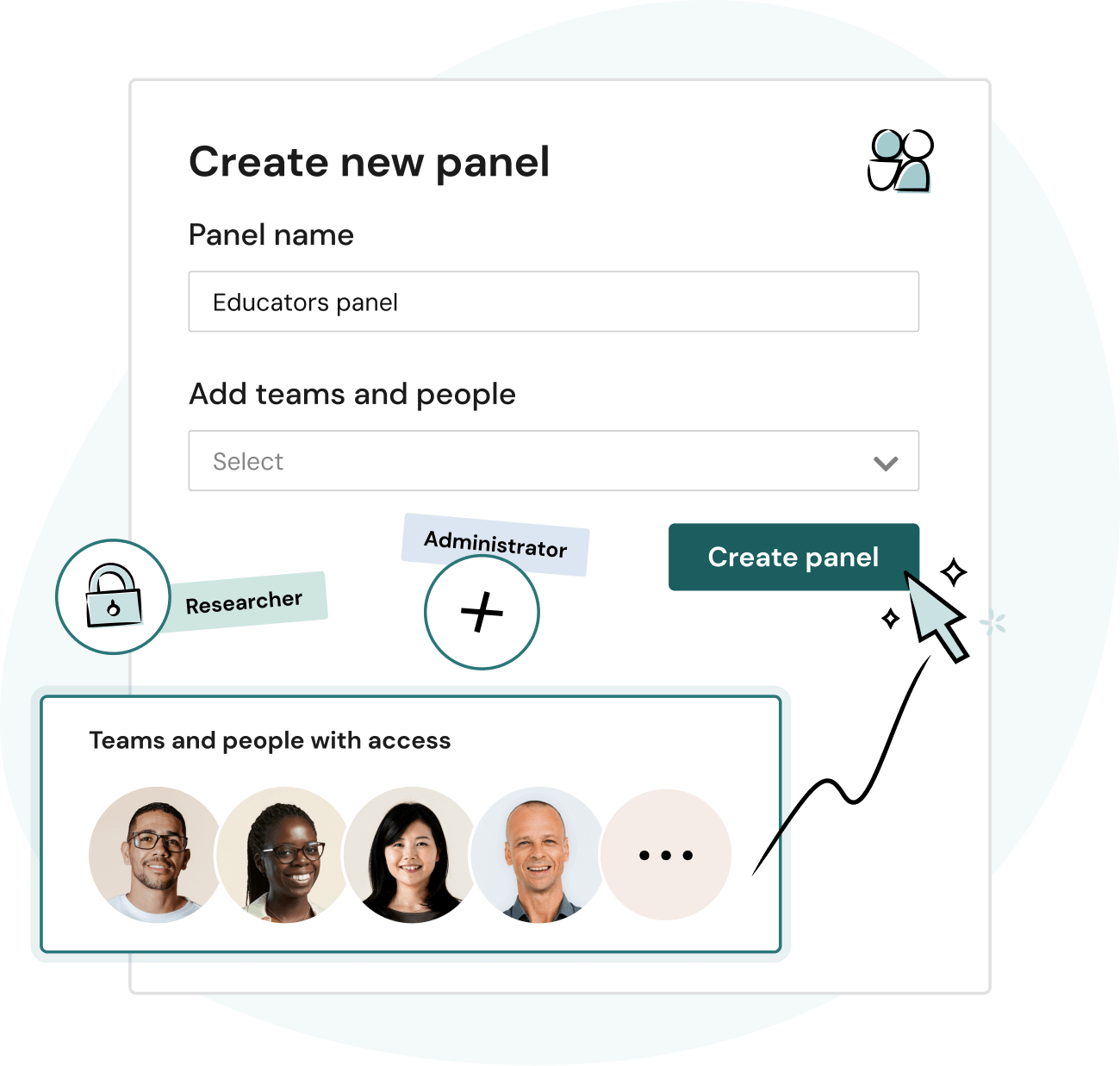

Configure panels and teams for any scenario – group by audience, region, product line, or opt-in status. Members can belong to multiple teams, participants to multiple panels, and access can be granted at any level.

Onboard new team members quickly with all the right guardrails and templates in place to confidently launch a study, access curated panels, and safeguard the participant experience.

Get visibility into org-wide research activity, spend, and effectiveness with robust reports and dashboards. All the data you need to prove research value, make budget decisions, and keep the entire research practice on track.


Take a guided tour ▶️ Build out teams and panels, fine-tune permissions, and reveal powerful insights.

“We’ve built a repeatable, well-governed process using Hub. It helps us keep things fair for participants and consistent for researchers.”


Everything you need to manage multiple teams, panels, and studies. Built for enterprise flexibility and control.


Panels are custom groups of participants in Research Hub. They help you organize your participant database and control which team members have access to specific participants, making it easier to protect data and run targeted research.
Panels can be created based on any criteria. For example, you can organize participants by product or persona, create an opt-in only panel, or use panels to safeguard your high-value participants.
To learn more, check out our academy lesson on managing access with Hub panels and the panels how-to support guide.
Teams are groups of Hub members with controlled access to panels, shared assets, and customized settings.
How you set up teams depends on your organization's needs, but as an example: you could create one team for your marketers who use Research Hub for high-level brand research—with their own set of branding, templates, and other custom settings—and a different team for your UX researchers, who will likely want to use different product-specific branding and customizations for their area of focus.
To learn more, check out our academy lesson on organizing members into Hub teams and the teams how-to support guide.
Reports consolidate your most important metrics into one easy-to-use dashboard:
Yes–User Interviews is built to scale with your org. From unlimited seats and customizable roles/permissions to compliance, collaborative workflows, and multi-team infrastructure, it’s designed for enterprise-grade research operations at any scale.
Research Ops teams can confidently manage multiple panels, multiple teams, and multiple studies, all while improving collaboration across departments, and enforcing governance standards. Specific governance features include invite rules, activity logs, and NDA collection.
With dedicated customer success support and proven success in complex orgs, it’s a trusted choice for large, research-mature teams.


Schedule your demo and see us in action today.