
Who can use this feature?
🗣️ All researchers (both admins and users)
⭐ Available for Recruit and Hub
What is a screener question bank, and why use one?
A screener question bank is a central library of vetted, reusable screener questions for use across your organization. Researchers can easily pull from this question bank to build screeners faster and ensure consistency—in both question format and participant data—across studies.
⭐️ Screener surveys are a vital component of recruiting the best participants for your research. Learn how to master the screening process with our Screener Surveys Deep-Dive course on the User Interviews Academy.
Watch the demo
Why use a question bank at your org?
- Work faster and smarter: Reuse common, vetted questions to build screeners quickly, instead of spending time rewriting/searching for previous ones.
- Enablement and guidance: Give newer researchers a strong starting point with high-quality example questions, and make it easy to share best practices across your organization.
- Ensure standardization and rigor: Ensure every screener reflects a unified voice across all projects, meets quality standards, and complies with organizational requirements.
- Build an opt-in panel: For teams using Research Hub, make it simple for researchers to add opt-in questions about participating in future research to support panel growth.
🔐 The question bank is shared org-wide. Admins can create, edit, and delete any question in the question bank. Researchers can create questions, but edit and delete only questions that they created (they cannot edit or delta questions created by other users).
How to set up the question bank
Navigate to Organization settings > Question bank. This is where you can view and manage the screener bank questions for your organization.
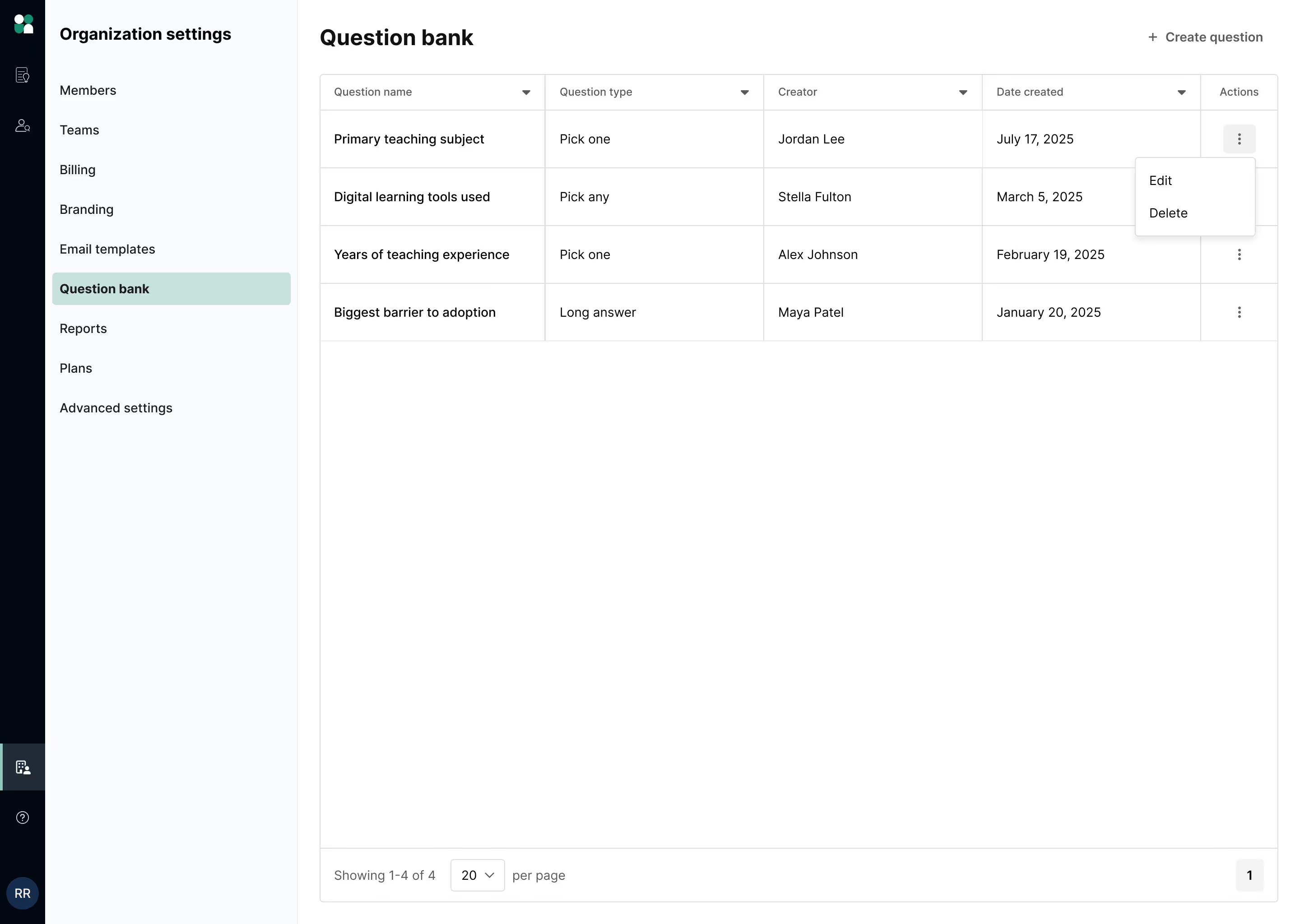
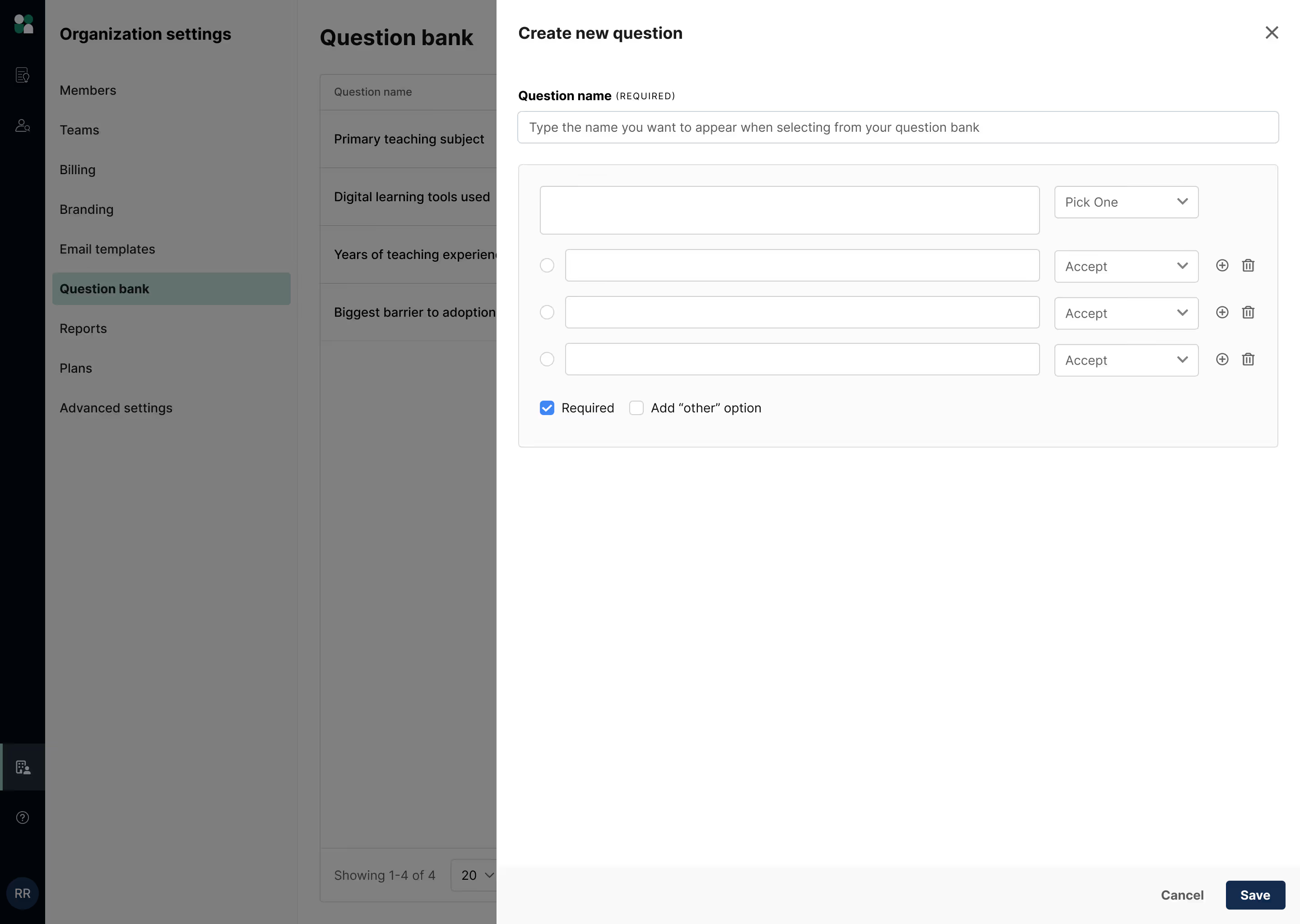
To add a new screener question to the bank, click “+Create question” at the top right. You can add the following question types:
- Single select (string)
- Multi-select (string)
- Grid questions
- Long answer
- Short answer
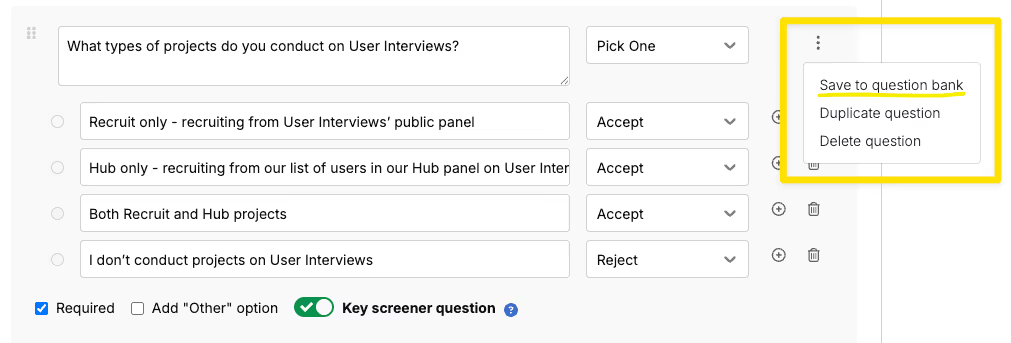
You can duplicate, delete, or save an existing screener question to the question bank using the kebab menu.
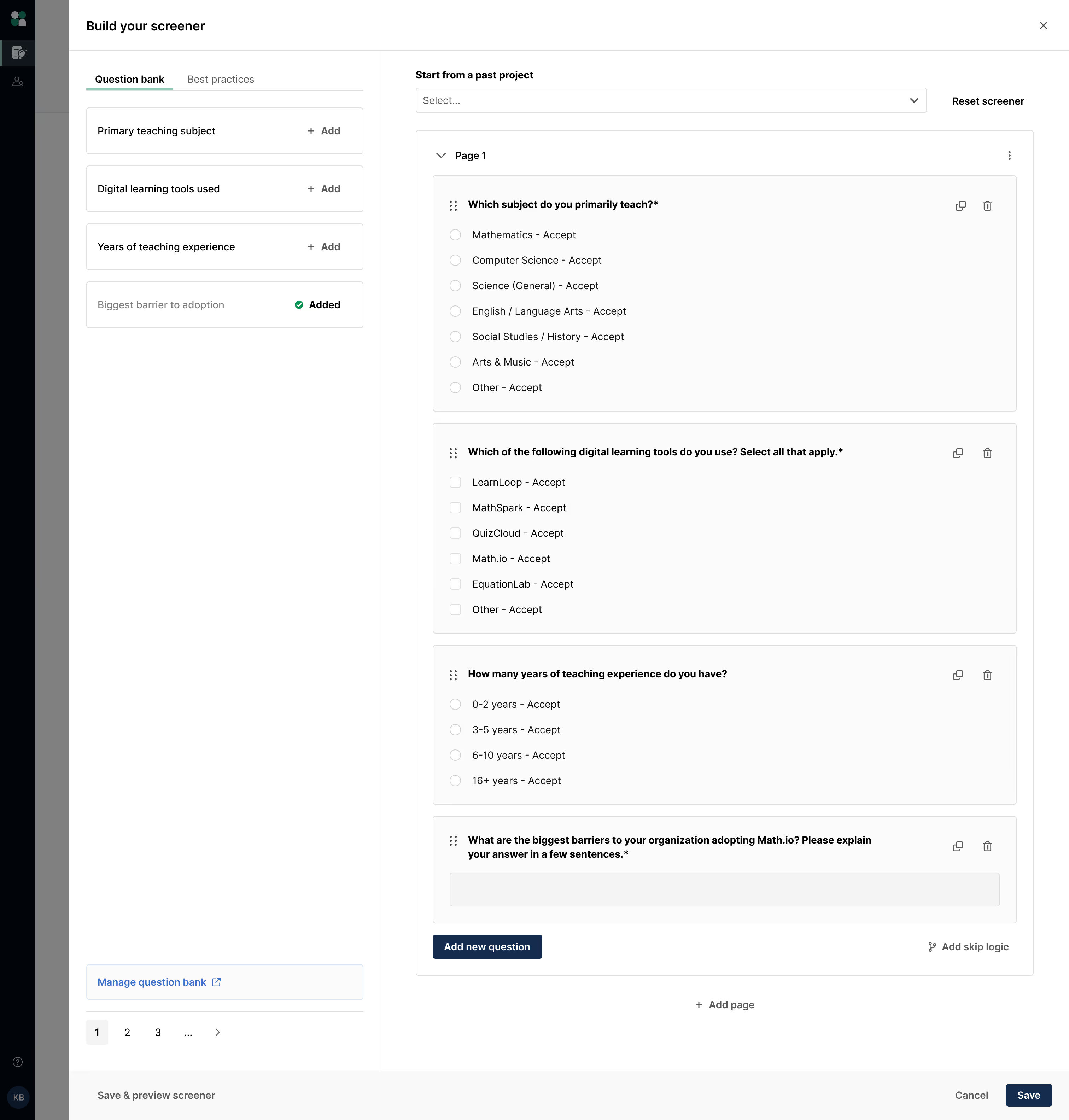
How to use the question bank
Researcher experience
Researchers can access the question bank via the screener builder for both Hub and Recruit projects. After adding the question to their own screener, researchers are free to make as many edits as they’d like as it will not impact the original question template.
💡 If an admin or researcher edits a question template in the bank, those edits will not impact projects already using that question—they will only impact new projects that choose to add the updated question to their screener.
Participant experience
Standardized screener questions help ensure a positive experience for participants, maintaining a unified “voice,” professionalism, and consistency across all research projects.
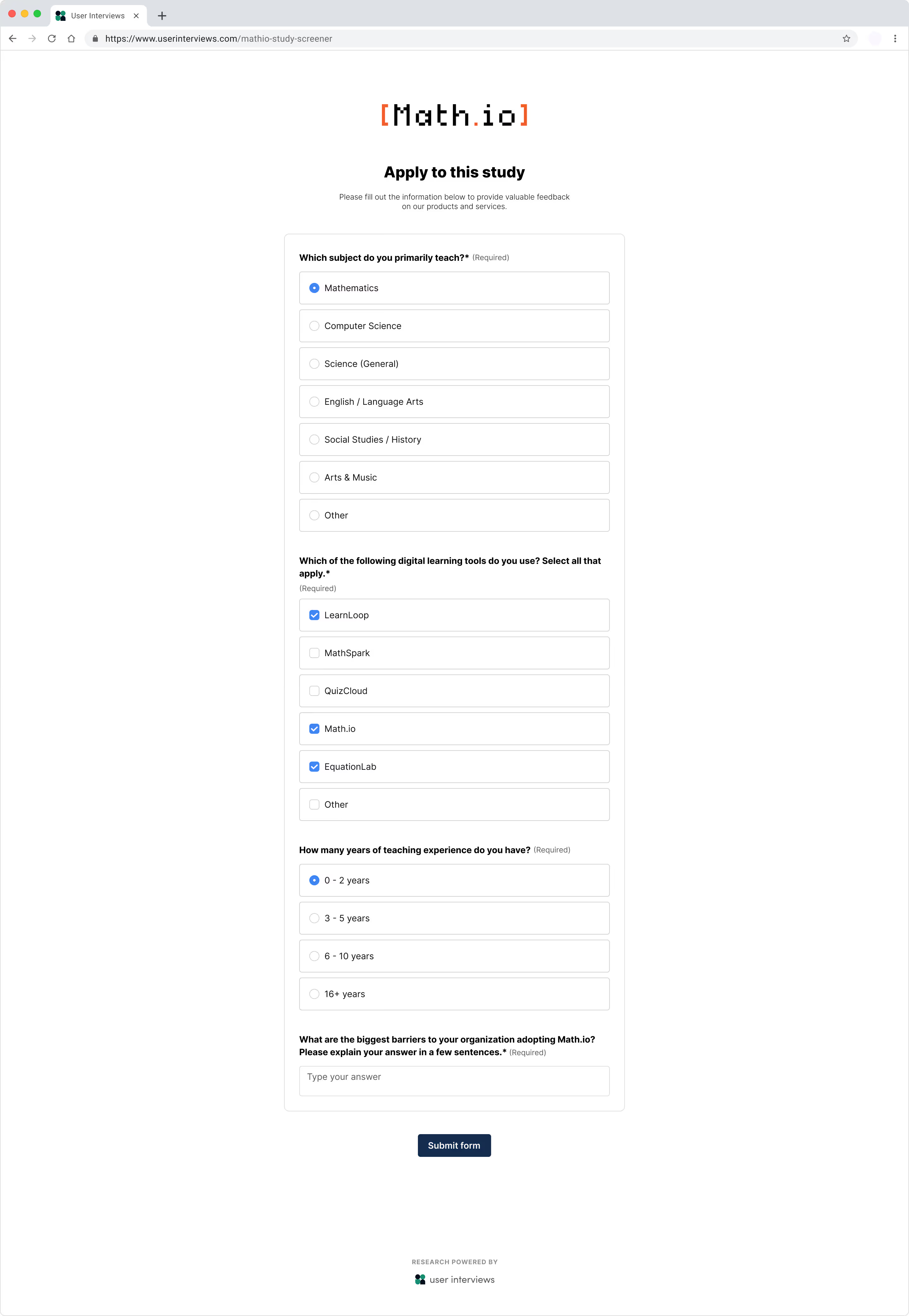
Save screener responses in Hub
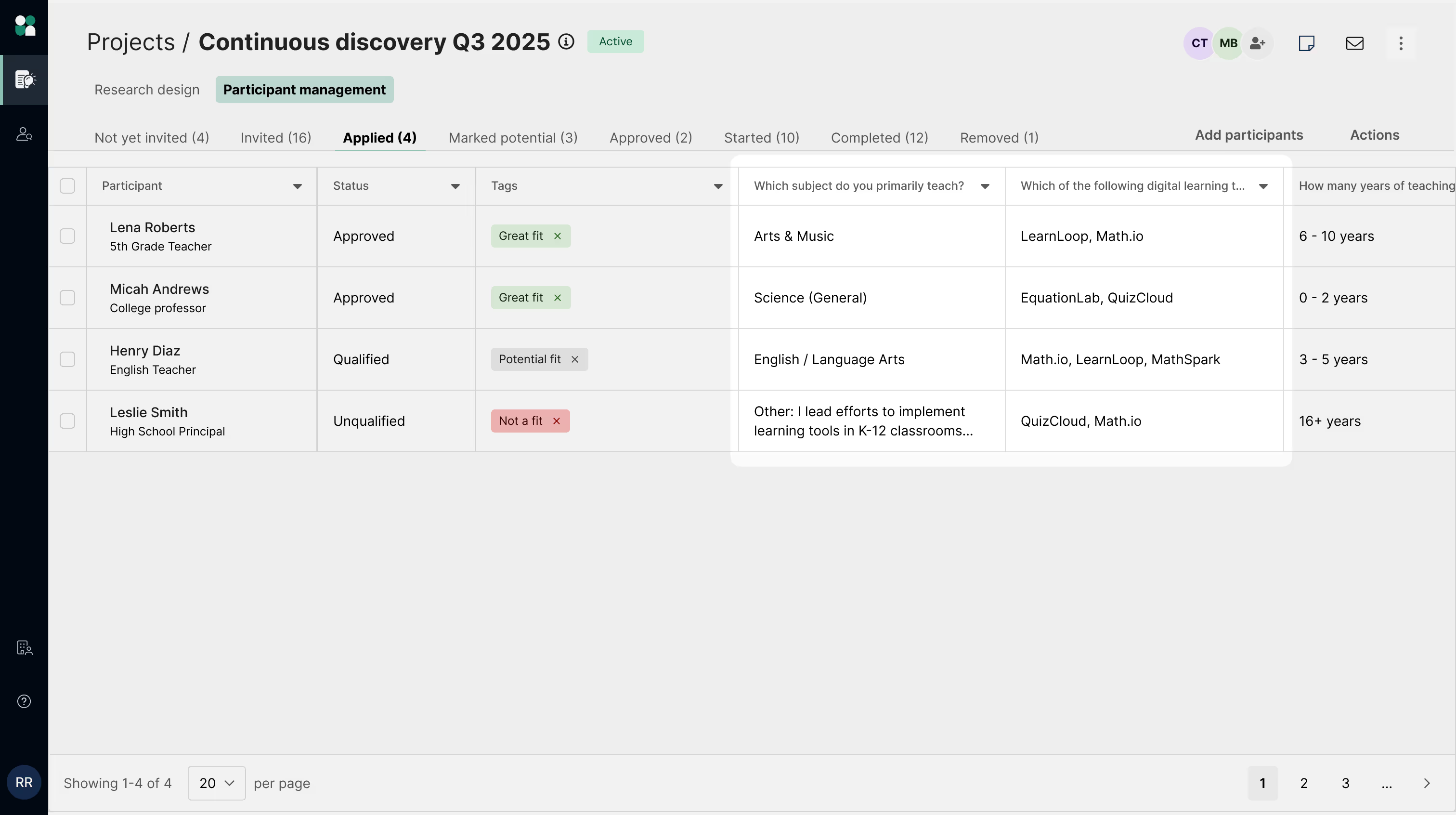
To save screener responses in Hub, Admins can map screener questions from the question bank to Hub attributes. When these mapped questions are included in screeners, the participant responses are captured in the Hub table as a column—allowing this data to be used for future filtering and recruitment targeting.
How to map questions to Hub attributes
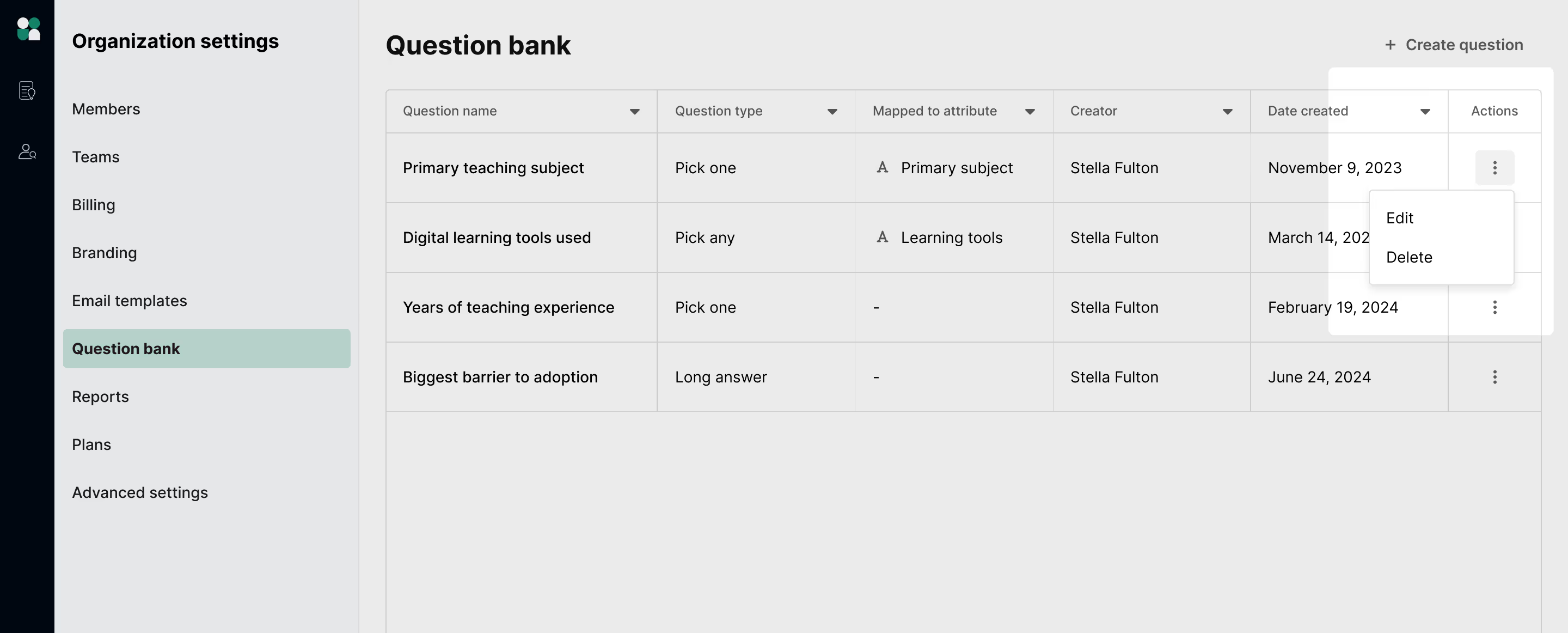
Navigate to the Question bank via Organization Settings, and click the action menu to edit a question. 🔐 Note: Only admins have the ability to map a question template to a Hub attribute.
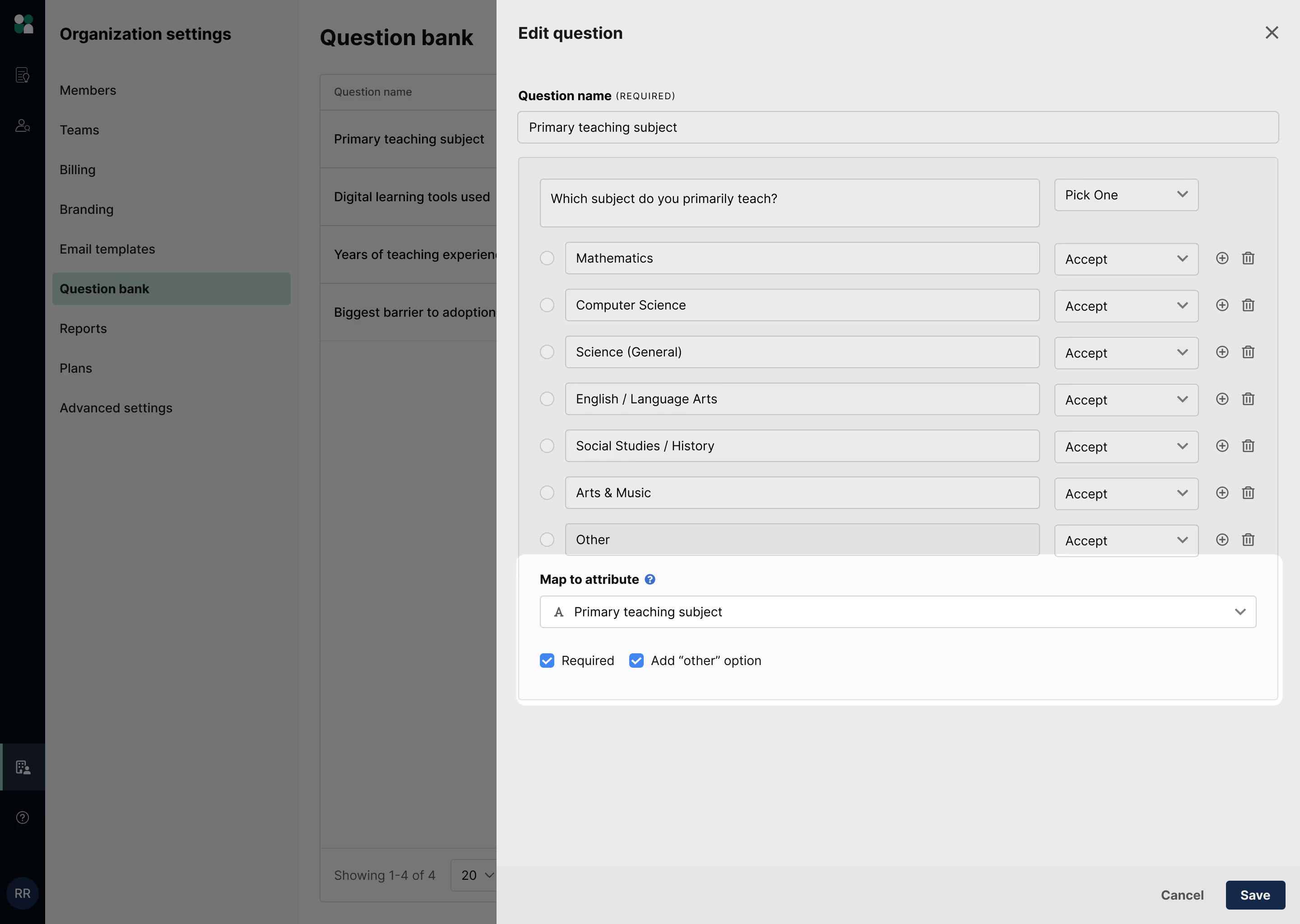
In the “Map to attribute” section, you can choose an existing Hub attribute to map to, or create a new one.
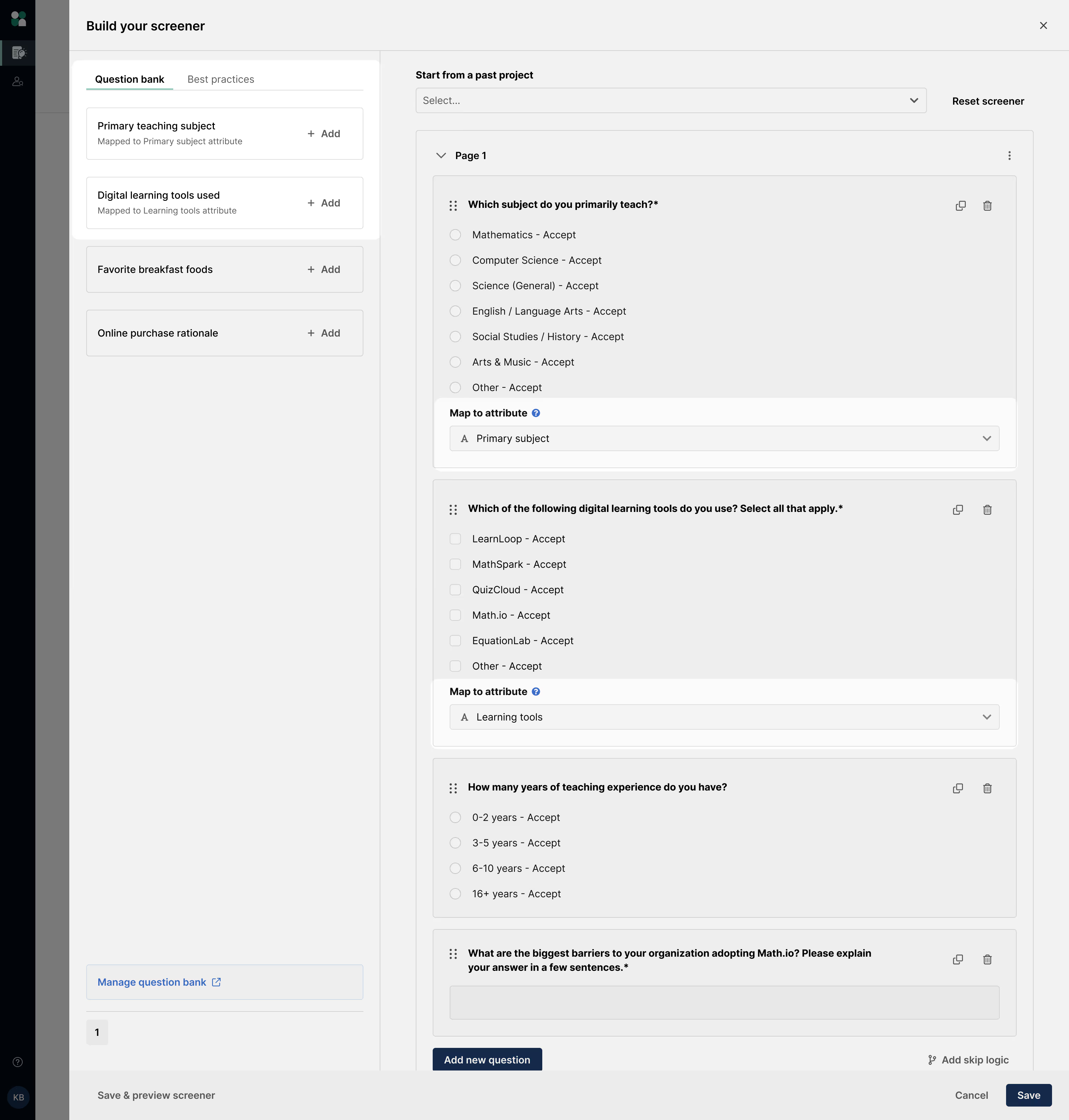
Researchers will be able to see these mapped questions in the question bank, and choose to add them to their screeners. Note that the text and answer options are not editable—this helps ensure data consistency across all participant responses.
Once the study is launched and participants start submitting their screeners, the responses for any mapped questions will be saved in the relevant column in the Hub table. Researchers can now filter on that data for future recruitment, confident that they are using the most up to date participant information.
FAQ
Who can create, edit, or delete questions in the question bank?
Admins can create, edit, and delete any question in the question bank. Researchers can create questions in the question bank, but are only able to edit and delete questions that they created (they cannot edit or delete questions created by other users).
Will edits to an original question template in the bank impact my project?
If an admin or researcher edits a question template in the bank, those edits will not impact projects already using that question—they will only impact new projects that choose to add the updated question to their screener.
After adding the question to their own screener, researchers are free to make as many edits as they’d like as it will not impact the original question template.
Can screener bank questions include qualification logic?
Yes, you can include qualification logic in screener bank questions to specify which answers may/must be selected, or which answers will be rejected. After a researcher adds the question to their screener, they can make any necessary edits to fit that study’s needs.
Can certain questions in the bank be marked as required?
Yes, you can designate specific screener bank questions as required by checking the “Required” checkbox. Note that researchers can still choose to un-check this checkbox after adding the question to their screener if they don’t want the question to be required.
You currently cannot add a question to the bank that is always required to be automatically added to a screener.
How are the questions in the screener bank ordered? Can I adjust the order?
Questions are ordered in the bank alphabetically. You currently cannot edit the question order.
Can I save existing screener questions into the bank?
Yes. Within the question's kebab menu, choose the "Save to question bank" option to save an existing question into the bank.
Who can map questions to Hub attributes?
Only Admins & Owner roles can map questions from the question bank to attributes. Researchers will not be able to create or edit mapped questions.
What happens if a question from the question bank is mapped mid-project?
Edits to any question template, including mapping, will not impact projects that have already used that template.