
Watch our Product Talk Webinars for a quarterly preview of new features
We’ve shipped several improvements to AI Insights to make it easier to share findings, analyze sessions at scale, and manage your research data.
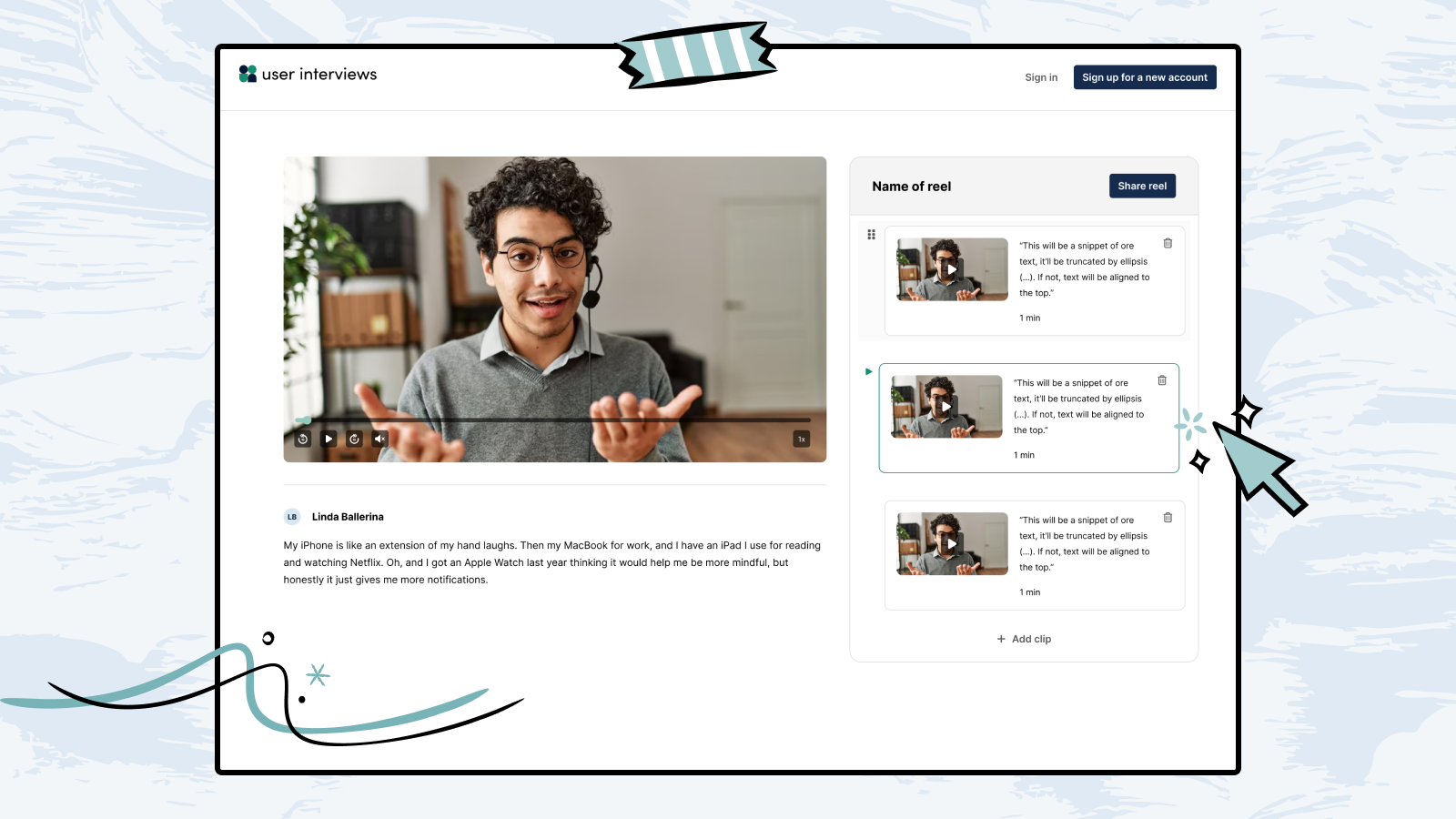
You can now group multiple clips into a named, shareable reel. Easily present insights, highlight key moments, and share findings without requiring viewers to have a User Interviews account.
What’s new
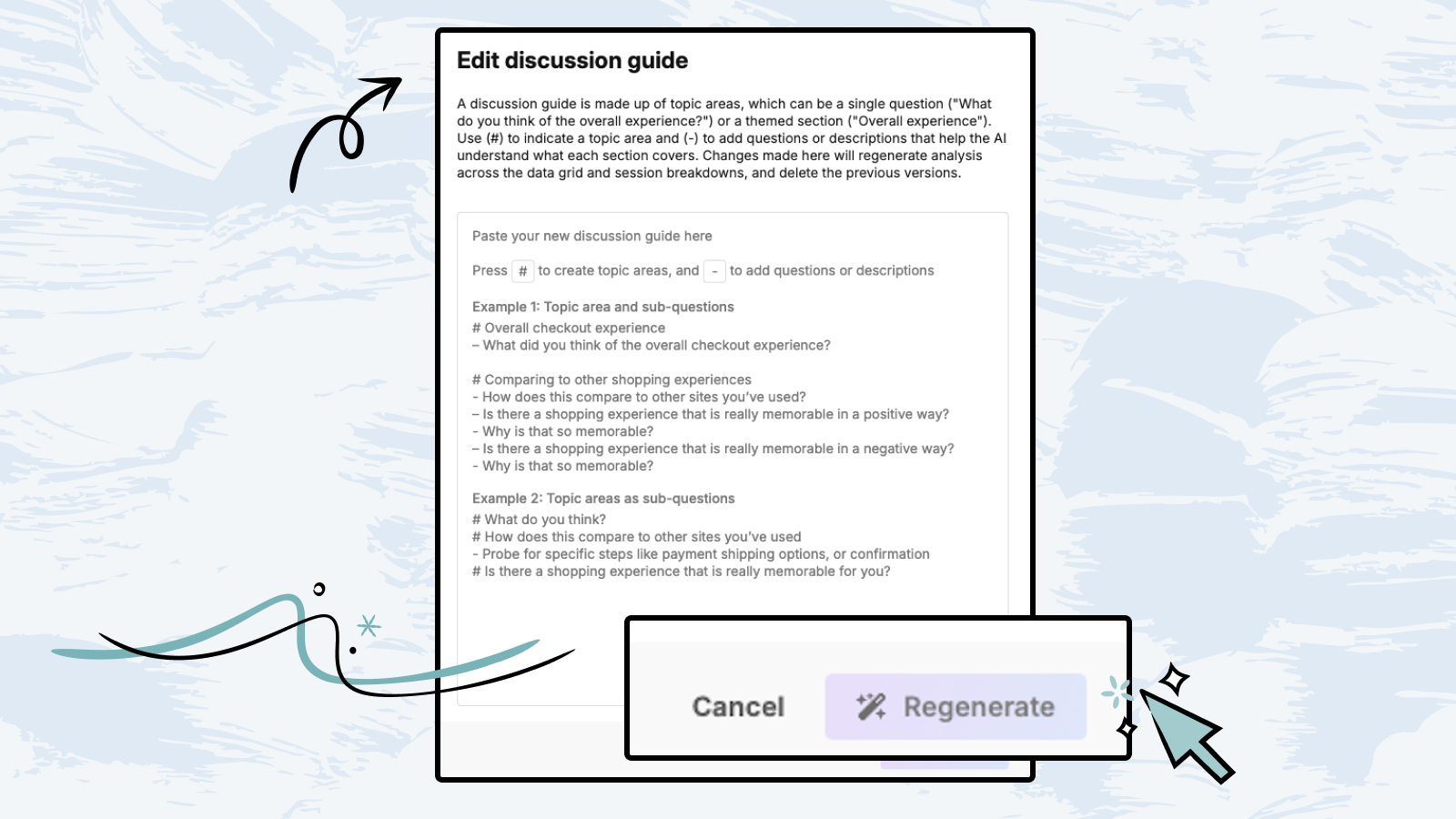
You can now update your discussion guide anytime (no support ticket required) so your analysis stays aligned as your research questions evolve. Just paste in an updated version of your discussion guide, click regenerate, and your session breakdowns and data grid will update automatically.
You can now share clips with stakeholders using a public link, no downloads or User Interviews account required. Anyone with the link can view the clip, making it easy to share key moments with clients or cross-functional partners.
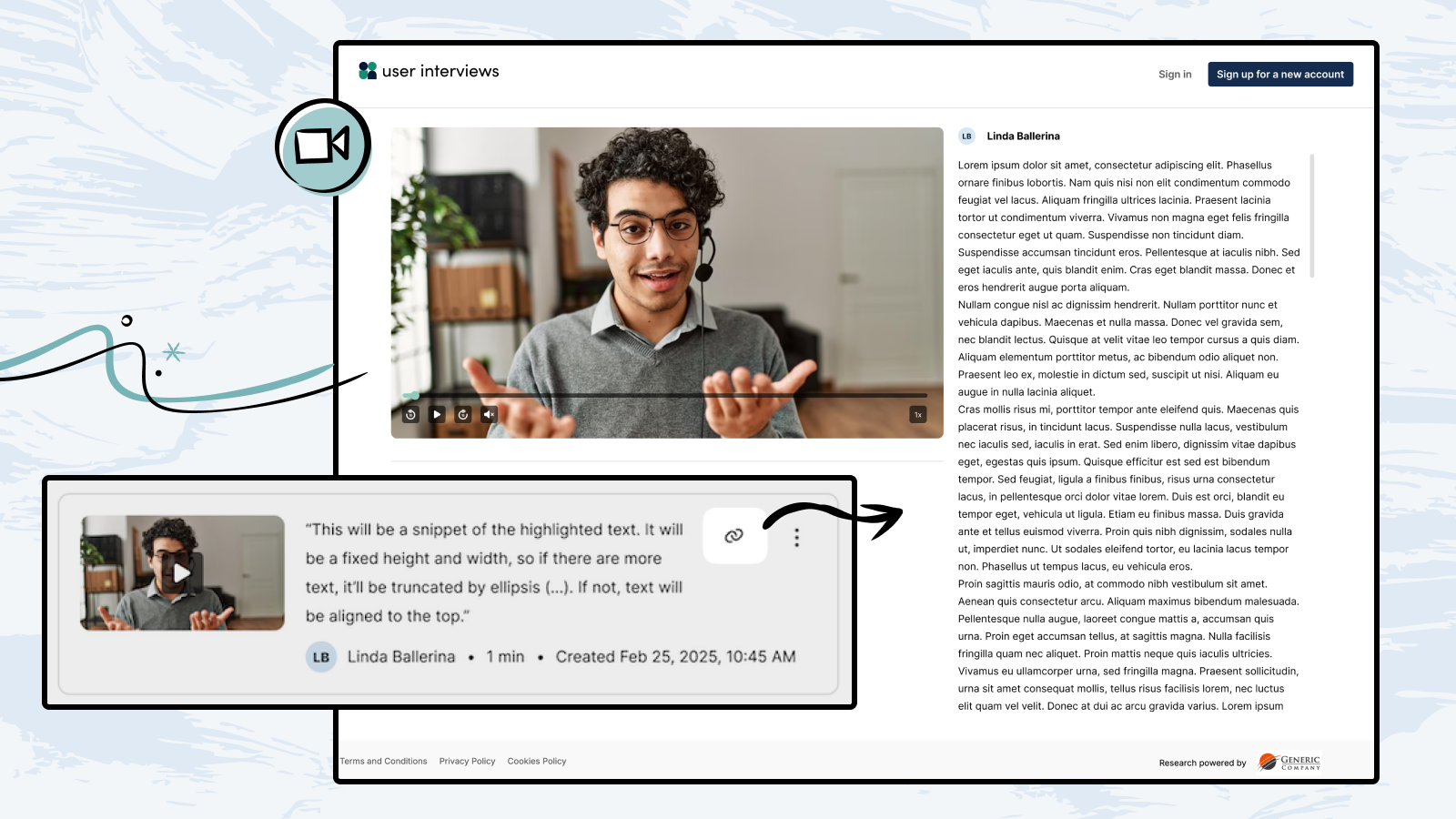
Just click the link icon on a clip thumbnail to instantly copy a shareable URL. Links include rich embeds, so when shared in tools like Slack or Notion they’ll unfurl automatically.
Recipients see the clip video alongside the scrollable transcript, displayed side by side for easy context. You can also download clips as MP4 files if you’re adding them to presentations, reports, or other tools.
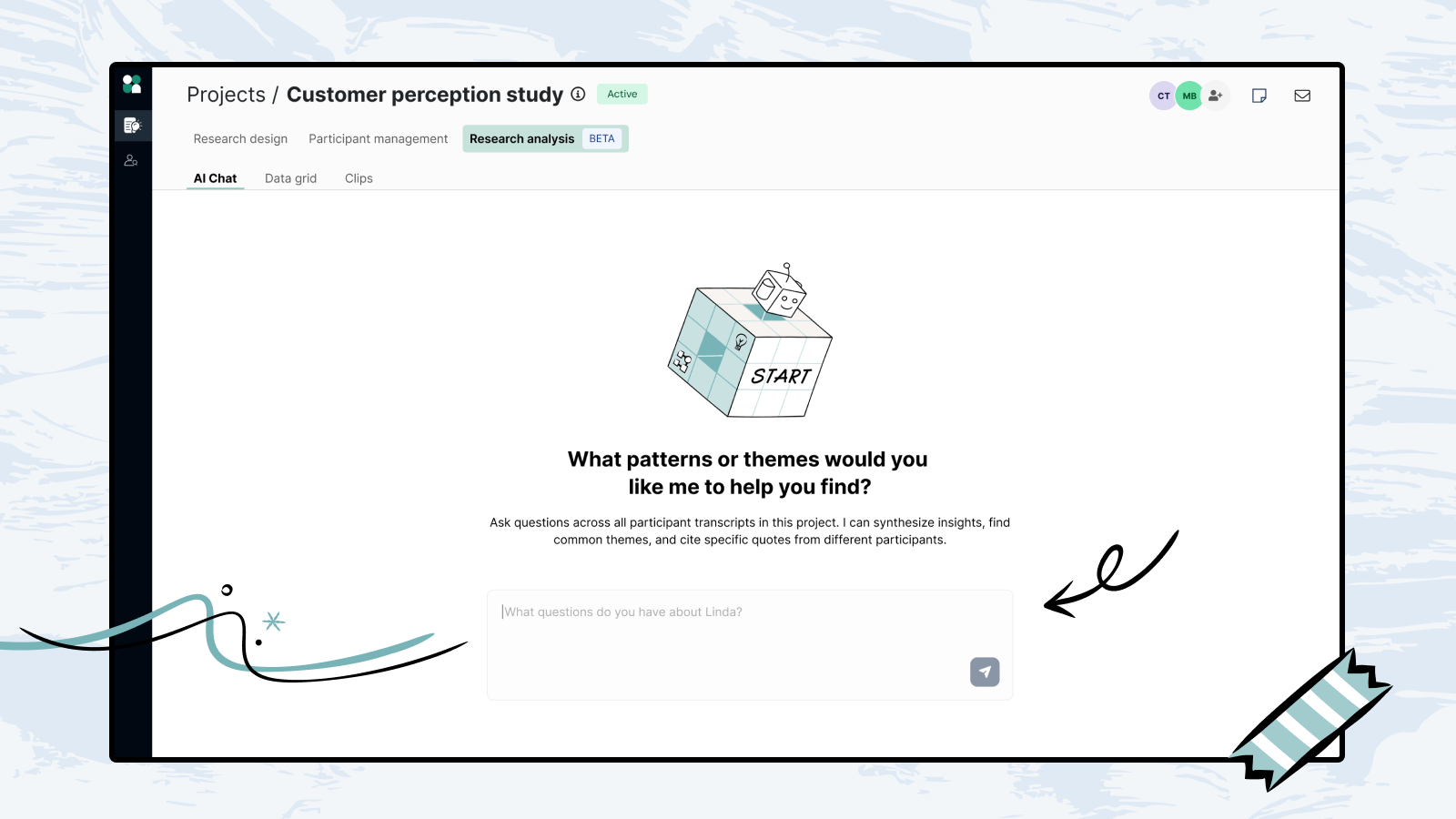
You can now use AI chat across all participant transcripts in a project, instead of reviewing sessions one by one. Ask questions like:
Our AI synthesizes insights from all transcripts and organizes them into clear themes with cited evidence. Responses include clickable citations back to specific transcript moments, along with summaries and counts showing how many participants mentioned each theme.
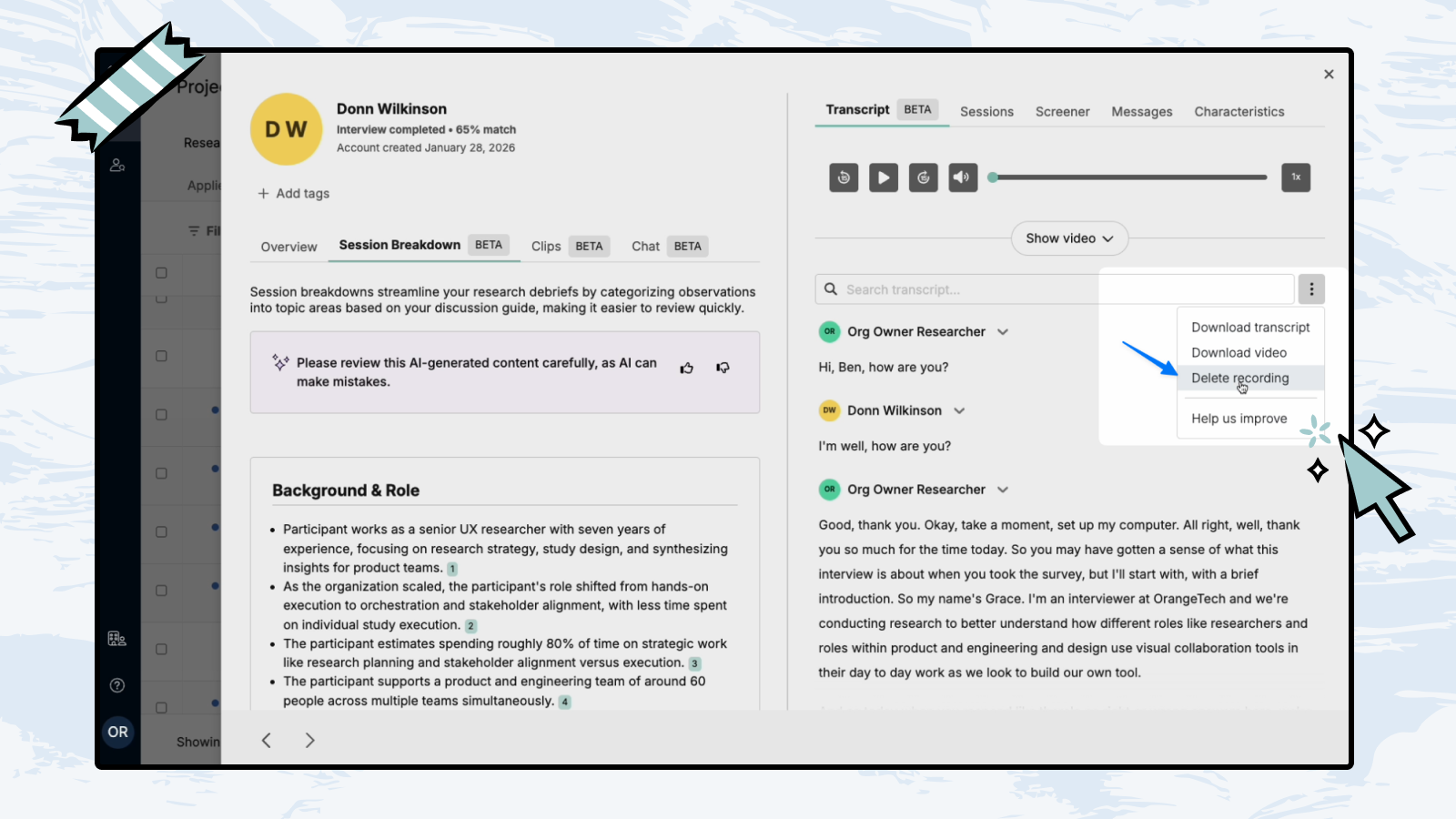
You can now delete participant recordings directly from the participant drawer, no support ticket needed. Teams can now remove recordings on their own time, in order to meet any internal data retention policies or legal compliance requirements set by their organization.
To delete a recording, open the Participant drawer → Transcript tab → Three-dot menu → Delete recording. Deleting a recording removes the video, transcript, session clips, and observations associated with that session.
Note: Available to researchers with edit access to projects using User Interview’s session recording.





Join over 100,000 subscribers and get the latest articles, reports, podcasts, and special features delivered to your inbox, every week.

Schedule your demo and see us in action today.