
Why connect my LinkedIn?
Researchers have told us themselves that LinkedIn details often influence who they select for studies. Connecting your LinkedIn adds trusted, verified professional details to your UI profile (public profile URL, workplace verification, and identity verification)—instantly boosting your credibility and chances of being selected for studies.
How to connect your LinkedIn to your UI account
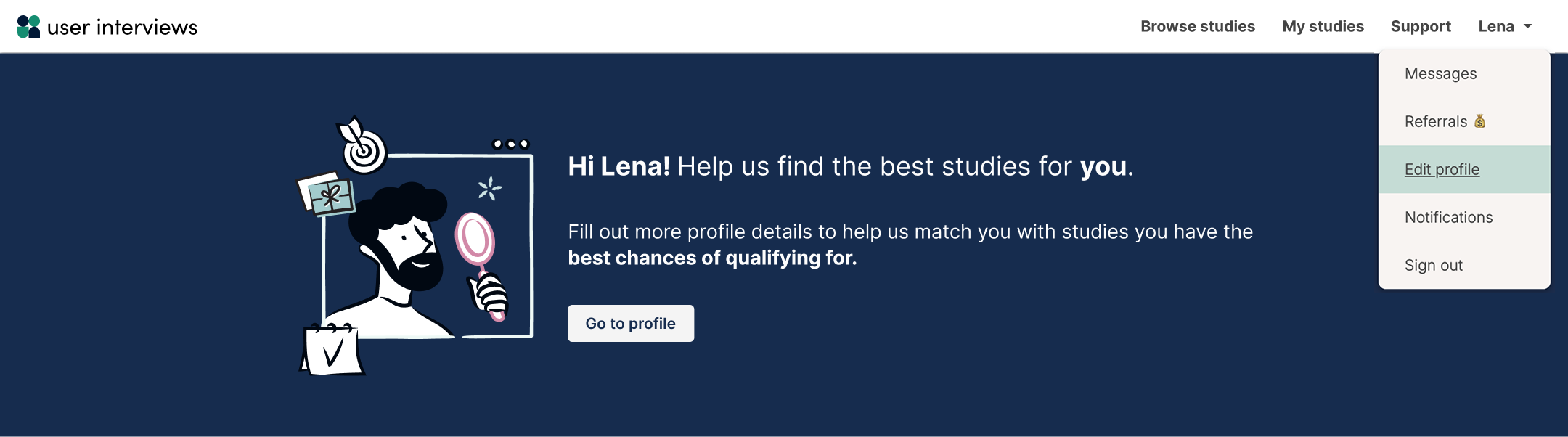
When logged into User Interviews, click your name > Edit profile.
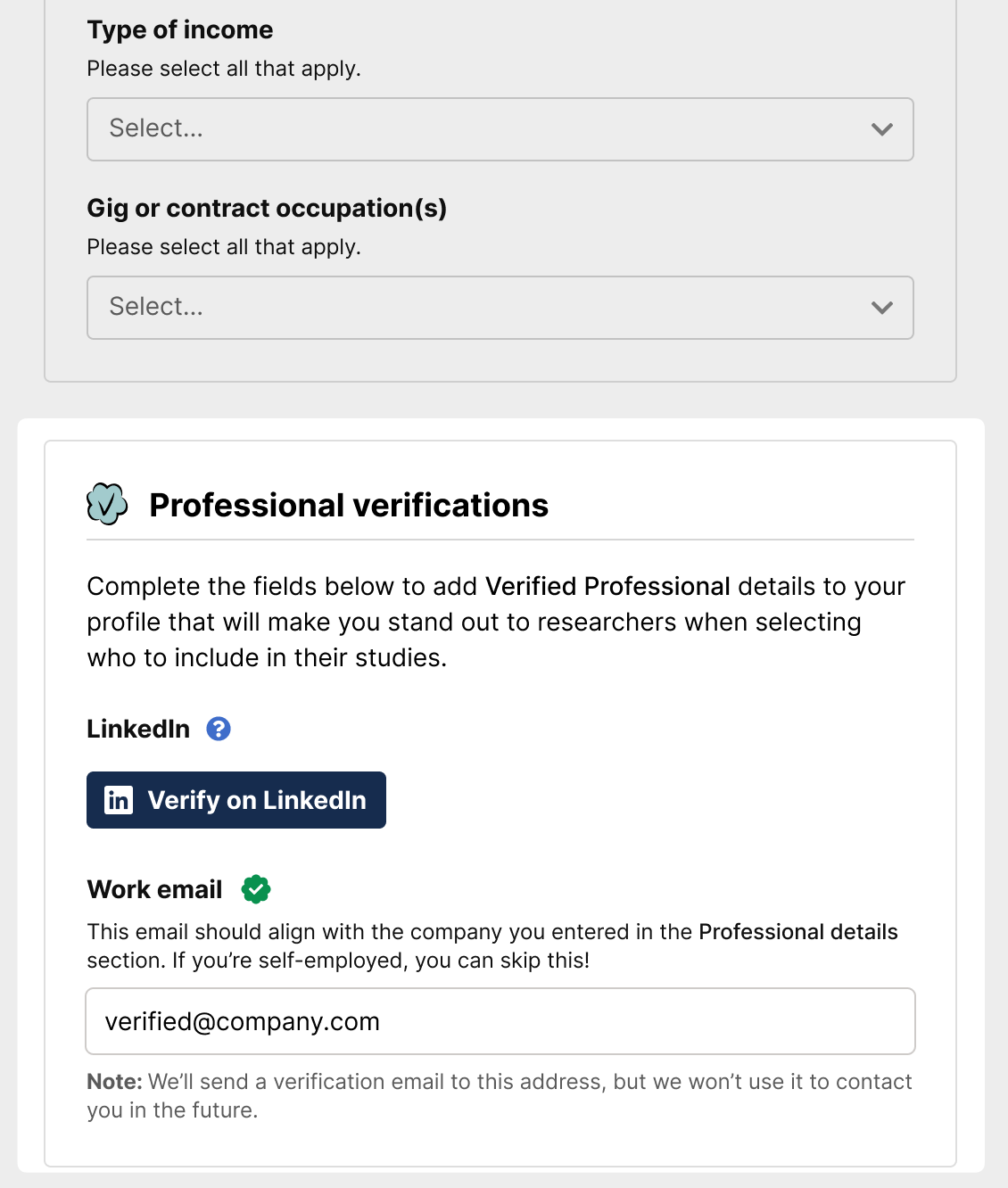
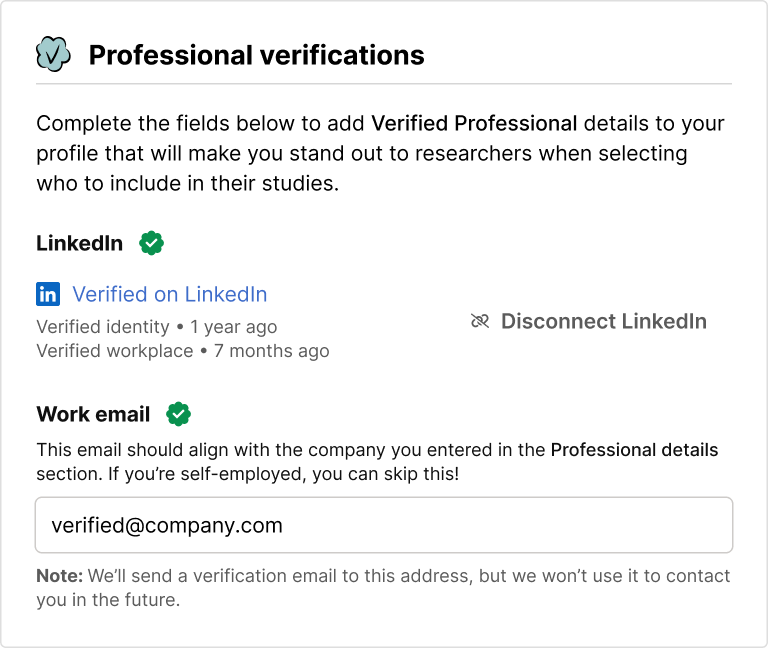
Click “Professional details” on the left, and navigate to the “Professional verifications” section. Click the Verify on LinkedIn button.
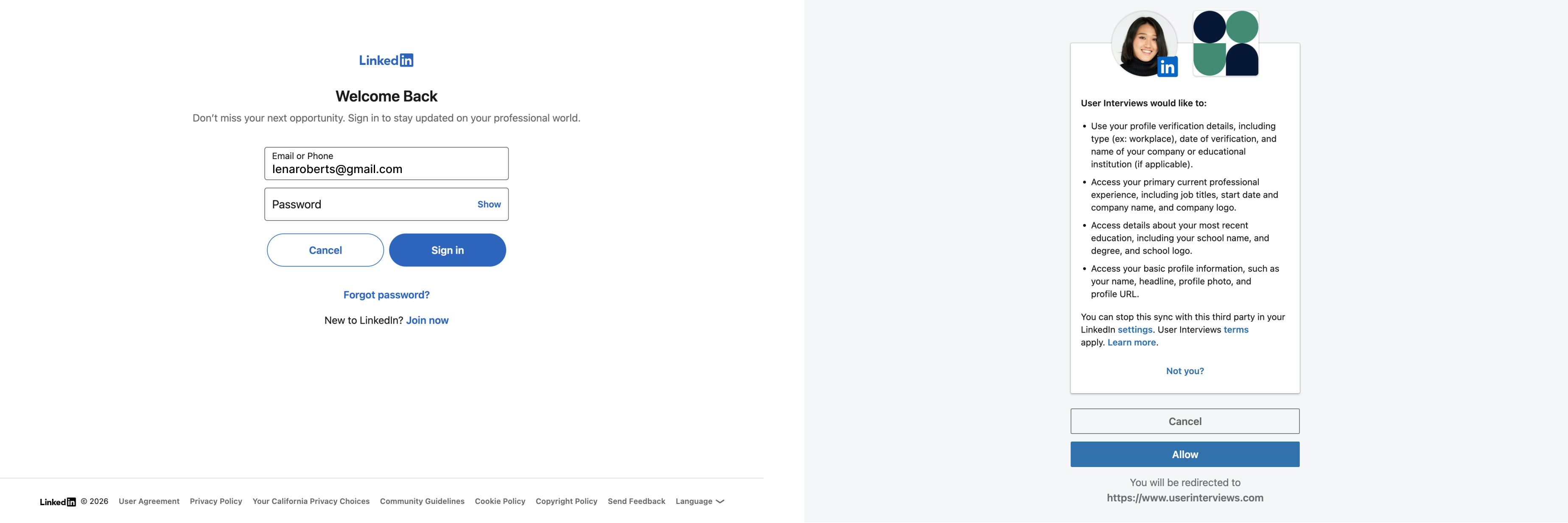
This will launch a quick sign-in flow to verify and connect your LinkedIn account.
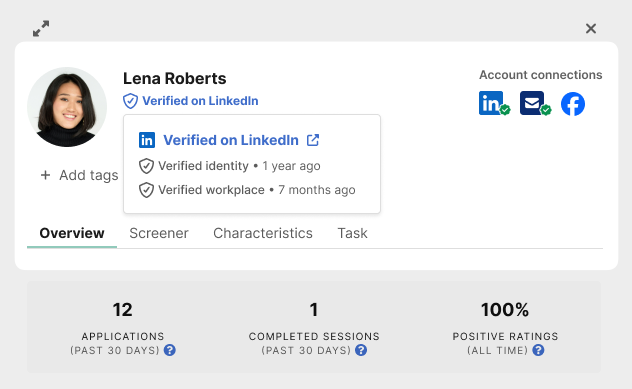
Once you’ve completed this step, your profile will update to show that you are Verified on LinkedIn, with a verified icon.
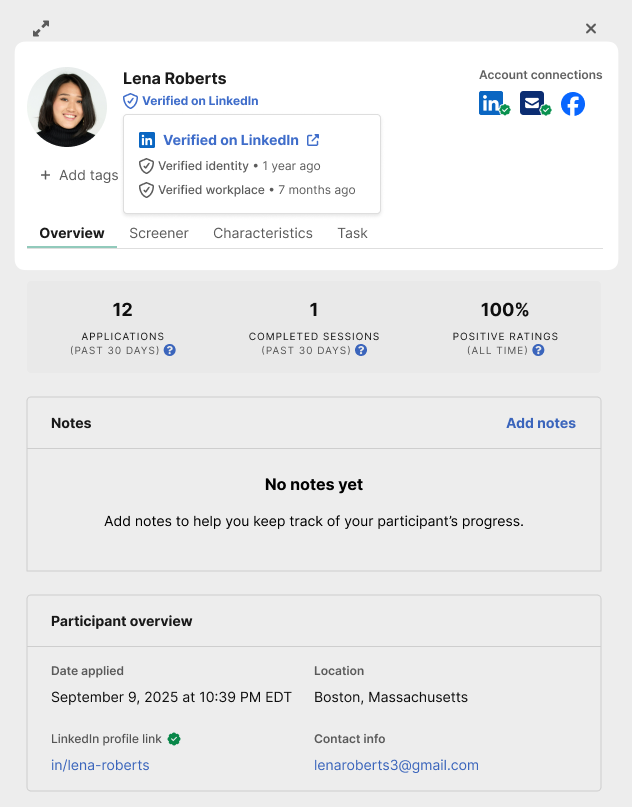
Researchers will be able to see your Verified on LinkedIn details directly on your User Interviews profile, making it easy to verify your professional experience and employment credentials.
Questions? Contact us here 📋