
Who is this article for?
🗣️ All researchers (both admins and users)
⭐ Teams on any User Interviews plan with AI features enabled
What is the Project Creation Agent?
Our project creation agent helps you move from a research idea to a launch-ready project draft through guided conversation. Start with anything from a simple idea to a fully developed research brief. The agent asks clarifying questions about your goals, audience, and methodology, then uses that information to build your project for you.
Unlike traditional project setup, which requires configuring each setting manually, the project creation agent helps you think through your study design while simultaneously creating a draft project based on your responses.
In just a few minutes, it can generate a draft project complete with recruitment criteria, screener questions, incentives, participant-facing copy, and more.
✨ Available to all organizations with AI features enabled.
Watch it in Action
How it works
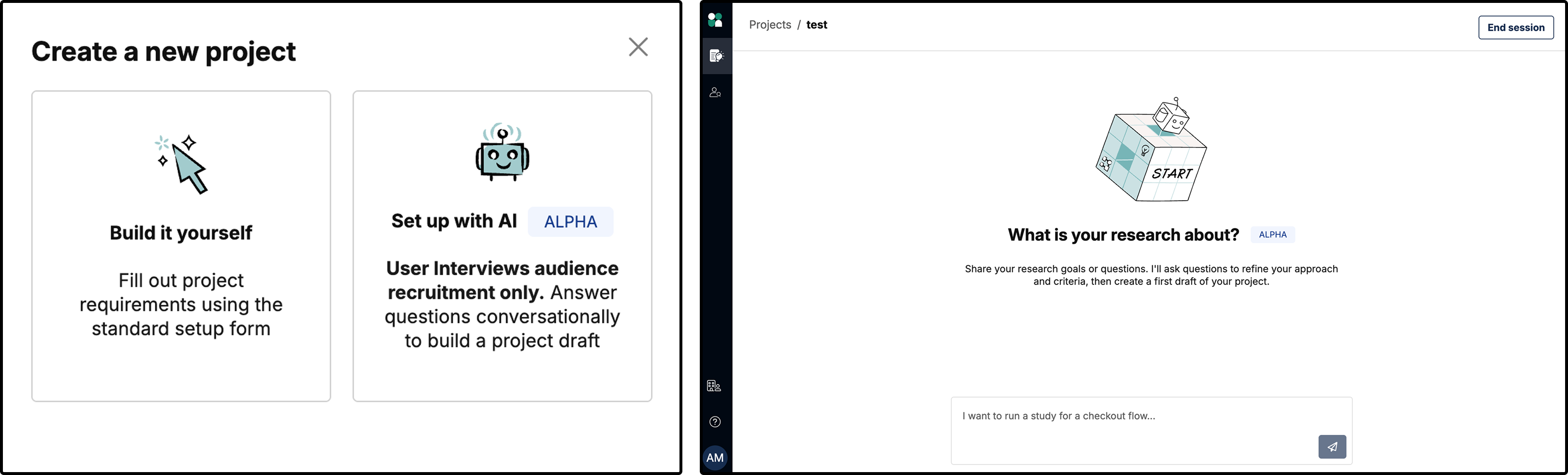
1. Create a new project and select the Set up with AI option.
2. Describe your research study in your own words, or paste in an existing research brief.
3. Answer follow-up questions about your research goals, audience, methodology, and recruitment needs.
4. The agent will generate the appropriate project settings and offer recommendations.
5. Continue the conversation to refine criteria or make any changes.
6. Review the project setup summary. If everything looks good, click Create draft.
7. Once your draft is created, you’ll be taken directly to your project workspace where you can review, edit, and launch your study when you’re ready.
💡Note: The project creation agent does not launch studies automatically—you have control of all final project settings and launch decisions.
What can the project creation agent configure?
The agent can guide you through the entire project creation process. Based on your goals and requirements, it can recommend and configure recruitment criteria, screener questions, participant incentives, participant-facing copy, unmoderated study settings, and more.
Recruitment criteria
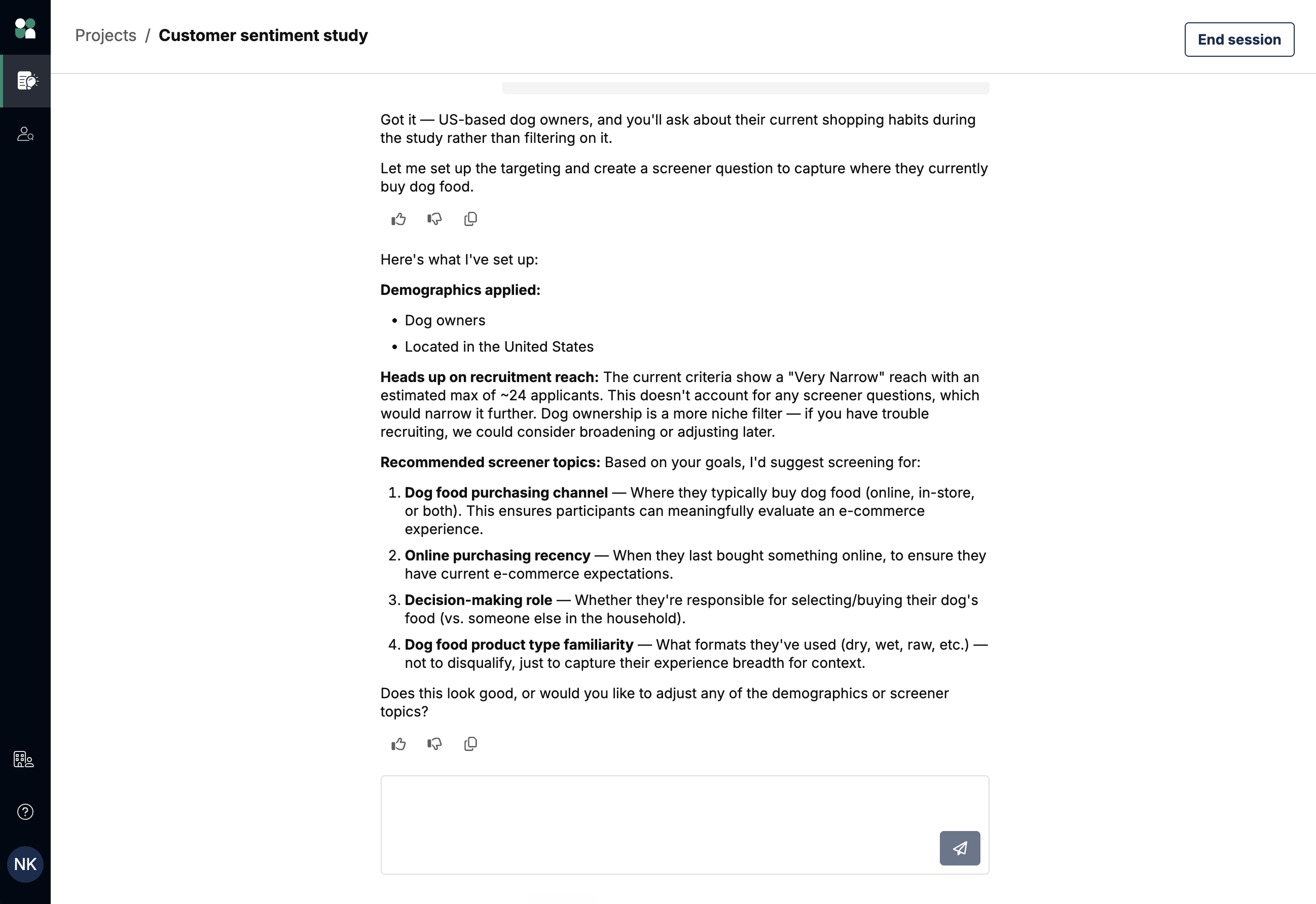
Describe who you're looking to recruit in your own words, and the agent will recommend the most relevant targeting criteria for your study—including demographic, professional, technical, and product usage characteristics, as well as job titles from our database of 70,000+ unique roles.
When participant requirements can't be captured through targeting criteria alone, the agent will identify where additional screening is needed and help generate screener questions for you.
Screener surveys with qualification and skip logic
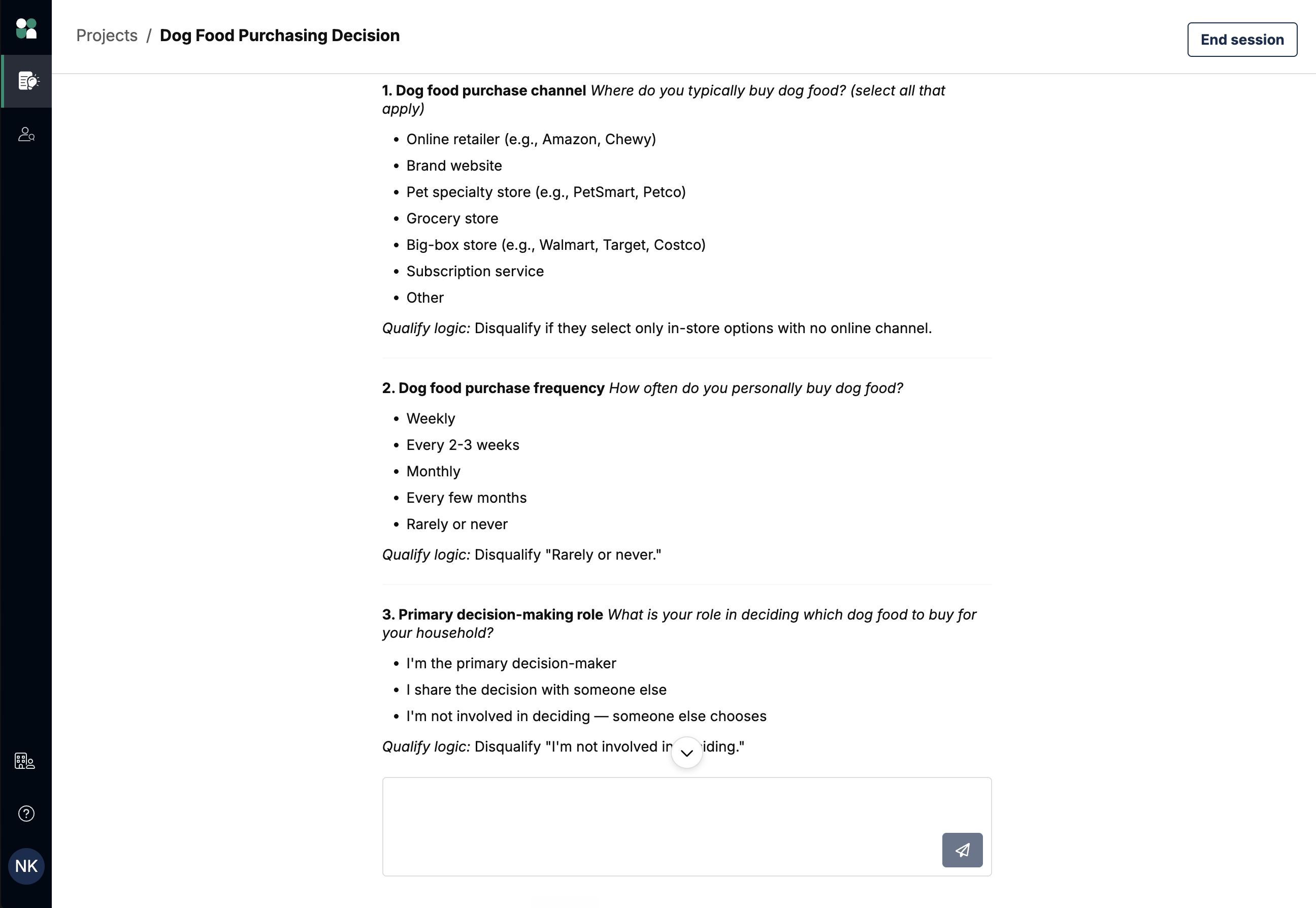
The project creation agent can create complete screener surveys based on your study goals and recruitment requirements. The generated screener can include:
- All available question types (short answer, long answer, single-select, multi-select, and grid questions)
- Multi-page layouts
- Qualification and disqualification rules
- Skip logic
Incentives
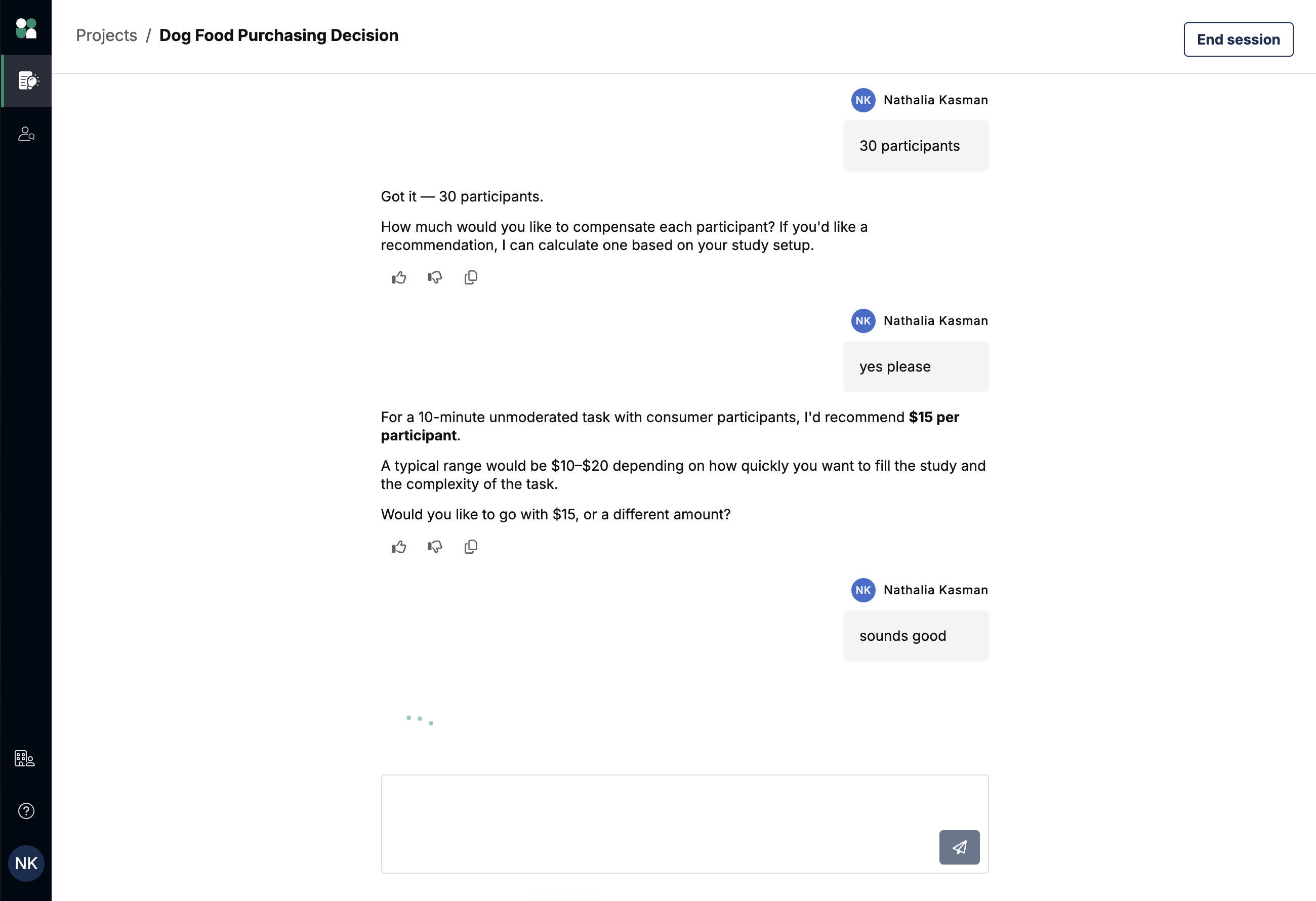
The agent calculates a recommended participant incentive based on your study details, helping you choose compensation that aligns with current market rates. Recommendations take factors such as your audience, study type, format, and session length into account.
Participant-facing communications
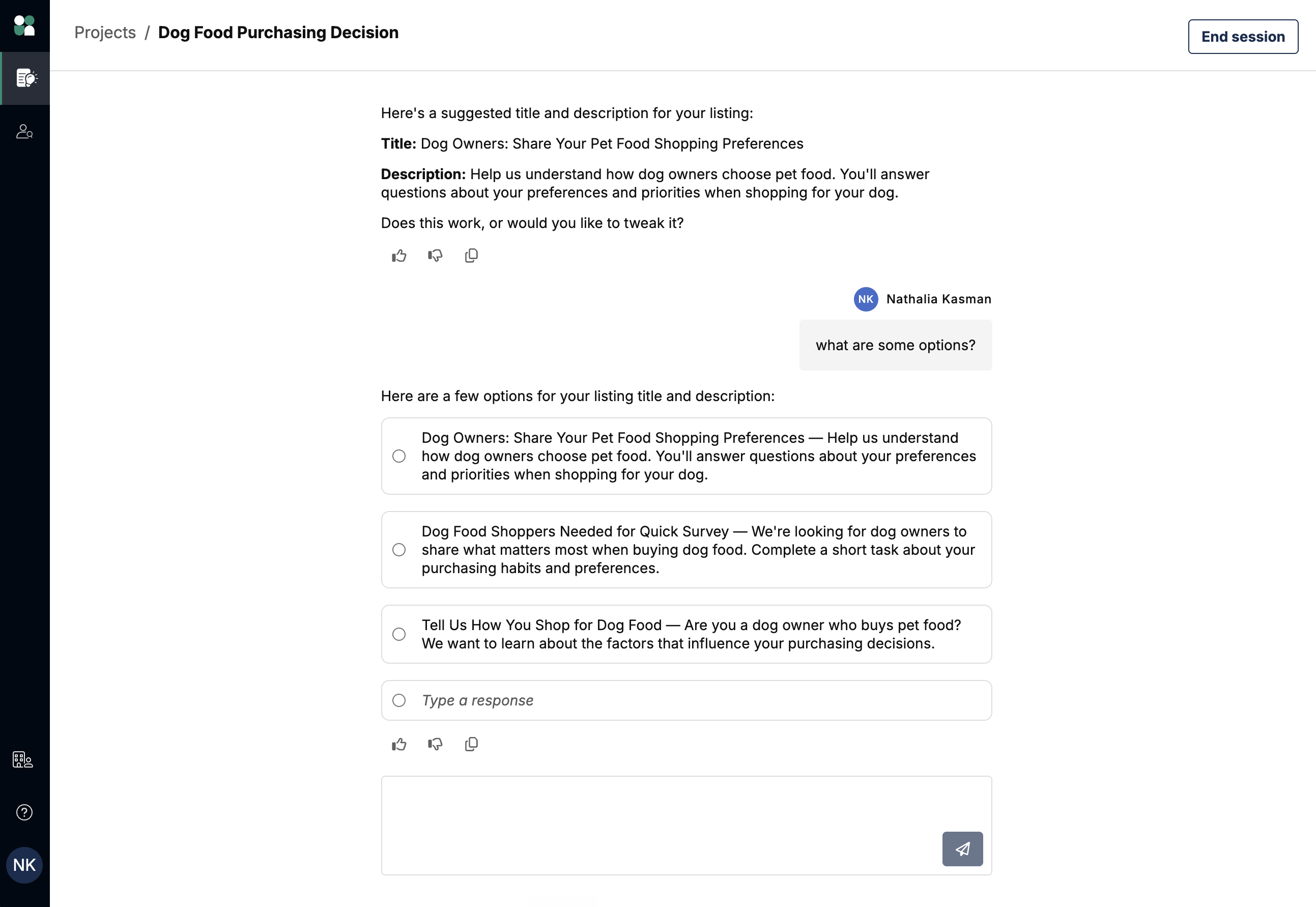
The agent generates participant-facing project titles and study descriptions based on your study setup. It creates clear, participant-friendly copy that reflects your research goals and requirements without exposing internal research details.
Like all other settings, the generated descriptions can be reviewed and edited before launching the project.
Moderated and unmoderated study setup
The agent can help configure an entire moderated project end-to-end, with recruitment criteria, complete screeners tailored to your study, participant incentives, and participant-facing communications (Recruit projects only).

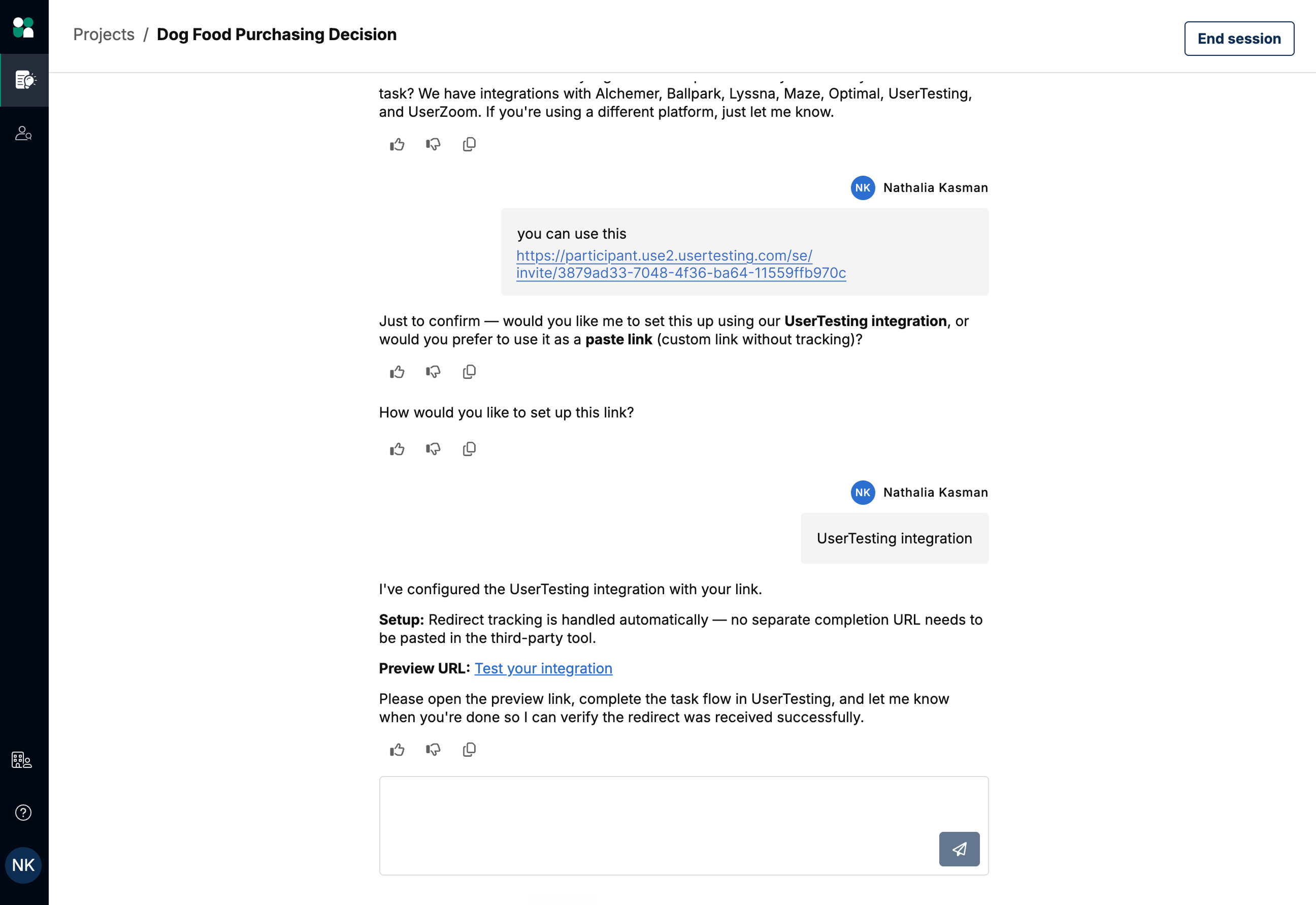
The agent can also help set up all the logistics and key settings for unmoderated studies, including:
- Connecting your test or survey link
- Configuring participant deadlines and time limits
- Setting up completion redirects
- Validating that participants can successfully complete the study flow
When should I use the project creation agent?
The project creation agent accelerates project setup for researchers at every experience level. You can come with varying levels of preparation—the agent will tailor its guidance to wherever you are in your research planning process.
If you’re new to research or the UI platform
You can start with just an idea. The agent will guide you through project setup step by step, helping you determine:
- Who to recruit
- What qualification criteria to use
- Which screener questions to ask
- Appropriate incentive levels
- Other project requirements
You can also ask questions throughout the process and receive recommendations based on the goals you've shared.
If you’re an experienced researcher
You can start with anything from research planning notes to a fully developed brief. The agent can help you:
- Get projects set up in just minutes
- Reduce manual setup work
- Apply consistent research best practices across studies and teams
You can provide as much or as little detail as you'd like—the conversation adapts to your level of preparation.
Using the project creation agent via MCP
The project creation agent is also available through the User Interviews MCP. This allows you to create research projects directly from MCP-compatible AI tools such as Claude, ChatGPT, and Cursor without switching between applications.
Whether you're working in the User Interviews app or through an MCP-connected AI tool, you'll have access to the same project creation experience and capabilities. Projects created through MCP appear in your User Interviews workspace, where you can review, edit, and launch them as needed.
👉 Learn more about the User Interviews MCP and request early access.
FAQ
Who can use the project creation agent?
The project creation agent is available to all customers that have AI features enabled for their organization—admins can turn on this setting from the advanced options page.
Do I need a completed research brief to use the creation agent?
No. You can start with anything from a simple research idea to a detailed project brief. The agent will ask follow-up questions to gather any additional information it needs.
Does the creation agent replace manual project setup?
No. It's an optional way to accelerate project creation, but you can still build projects manually if you prefer.
Can I edit the project after the draft is created?
Yes. All generated settings—including recruitment criteria, screeners, incentives, and study descriptions—can be reviewed and edited before launch.
Does the creation agent launch projects automatically?
No, the agent creates a draft project for review. Researchers must manually review and launch their study.
What if the generated setup isn't quite right?
You can continue chatting with the agent to refine recommendations before creating your draft. After the draft is created, you can manually edit any project settings.
How does the agent decide what recruitment criteria or screener questions to create?
The agent uses the information you provide during the conversation to recommend targeting criteria and generate screener questions when additional qualification is needed. We recommend reviewing all generated criteria and screeners before launching your study.