



Many focus group software platforms promise to streamline qualitative research with built-in scheduling, recruitment, and participant management features.
But most tools lack the integrations needed to sync your entire research workflow—forcing teams to manually coordinate across calendars, emails, incentive platforms, and CRMs.
This manual approach slows projects down, increases the risk of errors, and makes it harder to scale research efficiently.
That’s why the best focus group platforms don’t try to do everything. Instead, they focus on doing a few things exceptionally well—like participant recruitment, scheduling, or panel management—while offering advanced integrations with the tools your team already uses, such as Zoom for online focus group sessions or Salesforce as a CRM for storing participant data.
Below, we'll cover:
- What you should consider when choosing the best focus group software for your research studies
- The seven best focus group software options:
- User Interviews
- FocusGroupIt
- MAXQDA
- QuestionPro
- Forsta
- Looppanel
- itracks Realtime
Ready to centralize your focus group research into one platform? Book a demo with User Interviews to learn more or create an account for free today!
How to choose the best focus group software
Below, you'll find the three key factors worth evaluating when choosing the best focus group software for your research studies.
Look for software with automated scheduling and calendar syncing
Coordinating schedules for focus groups, especially across time zones, can be a logistical nightmare without the right tools.
31% of researchers say their biggest problem is scheduling moderated sessions, while 21% struggle communicating with participants.
That’s why the best focus group platforms offer built-in scheduling features that sync with Google Calendar, Outlook, and other popular calendar systems.
This allows participants to select time slots, receive automated reminders, and reschedule without the need for manual back-and-forth. Some platforms also include scheduling rules, time zone detection, buffer management, and group session management tools.
These features help reduce the number of no-shows while saving your team hours of admin work, so you can worry about gathering useful qualitative insights.
Learn how to automate your session scheduling with User Interviews.
Consider whether the software offers access to external participant panels
Most focus group software platforms don’t provide participant panels or any recruiting tools. This means you'll need to turn to costly agency outsourcing or DIY recruitment to add new people to your studies. Not only does this often take longer, but it can be a much more expensive approach, especially when working with recruitment agencies.
If you're starting from scratch or targeting hard-to-reach audiences, focus group software with built-in access to external participant panels can dramatically simplify recruitment.
Some platforms partner with vetted participant providers or offer their own panel recruiting services. This allows you to screen for key demographics, professional criteria, or behavioral traits without relying on your internal network.
Even if you plan to recruit independently, having access to a quality panel offers flexibility and backup if plans change.
Read more about how User Interviews builds a high-quality panel of 6 million participants.
Prioritize software that offers integrations that match your workflow
The biggest challenge in focus group research is scheduling multi-participant sessions. Coordinating multiple participants for a single time slot creates far more logistical issues than one-on-one interviews. It typically requires dozens of emails, calendar updates, and follow-ups just to decide on a shared session time.
That’s why your focus group software should simplify the process as much as possible. If your tool doesn’t integrate with your scheduling system or calendar, you’ll be left to manually assign time slots, send reminders, and track each response in a spreadsheet or third-party tool.
But with the right integrations in place, much of that work can be automated. Platforms that connect with tools like Google Calendar, Outlook, and Zoom can help you reduce no-shows, minimize scheduling back-and-forth, and keep everything running smoothly.
That’s why many focus group researchers choose User Interviews. It plugs right into your workflow, streamlines logistics, cuts repetitive admin, and lets you spend more time running productive studies.
With 20+ integrations, it’s easy to streamline your workflow and eliminate manual tasks with User Interviews. Schedule a demo today to see how your existing tools fit in, or get started with a free researcher account.
The top seven focus group software options
1. User Interviews
User Interviews is a user research recruitment platform designed for running high-quality focus groups, streamlining everything from participant sourcing and screening to scheduling, participant management, and post-session follow-up.
The platform supports remote and in-person focus groups, simplifying city-specific recruitment, sending same-day instructions, and managing scheduling and incentives—regardless of the format.
Unlike standard focus group platforms or DIY tools, User Interviews offers a centralized system designed for qualitative research teams who need to run reliable, insight-rich focus groups at scale.
The platform addresses common focus group challenges, including:
- Finding and screening high-quality participants who truly match your group criteria.
- Reducing no-shows with built-in scheduling tools and automated reminders.
- Distributing participant incentives instantly to avoid delays that hurt engagement.
- Syncing customer data via 20+ integrations in a centralized hub.
Below, we break down the key features that make User Interviews one of the best platforms for managing your focus group research from end to end.
Access a database of qualified participants to grow your panel
Recruiting high-quality participants for focus groups can be time-consuming, especially if you don’t have your own customer panel. The standard approach for most research teams is to rely on generic outreach methods, like email lists, social media, or past customers.
While this approach can be effective, it often results in inconsistent attendance rates, poor group dynamics, and irrelevant insights.
That’s why researchers turn to User Interviews to tap into a proprietary participant panel of 6 million vetted users, all of whom have opted in to participate in paid research.
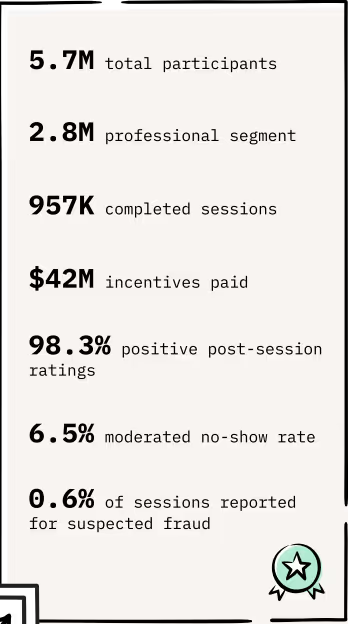
Our research panel is built entirely in-house with no third-party sourcing. Every participant goes through an identity verification process and is continually evaluated based on response quality, attendance, and researcher ratings.
In fact, the platform uses over 20 million data points to match researchers with the most relevant and reliable participants.
Researchers can view detailed participant profiles, including social links (like LinkedIn), past study activity, attendance history, and team ratings or notes. If someone ghosted a session or gave low-effort answers in the past, you’ll know.

Most participant requests fill within 24–48 hours. User Interviews offers one of the fastest, most reliable ways to fill focus group sessions with people who actually match your study—and show up ready to engage and provide valuable insights.
Use screener surveys to ensure all participants match your focus group requirements
Even with a qualified panel, screener surveys are your most important tool for ensuring that participants are a perfect match for your specific session goals.
In focus groups, that matters more than ever. One off-target participant can derail a conversation, dominate the session, or simply offer little value to the discussion.
User Interviews gives you complete control over the screening process with a flexible screener builder that includes multiple-choice, open-ended, and even video-response questions.
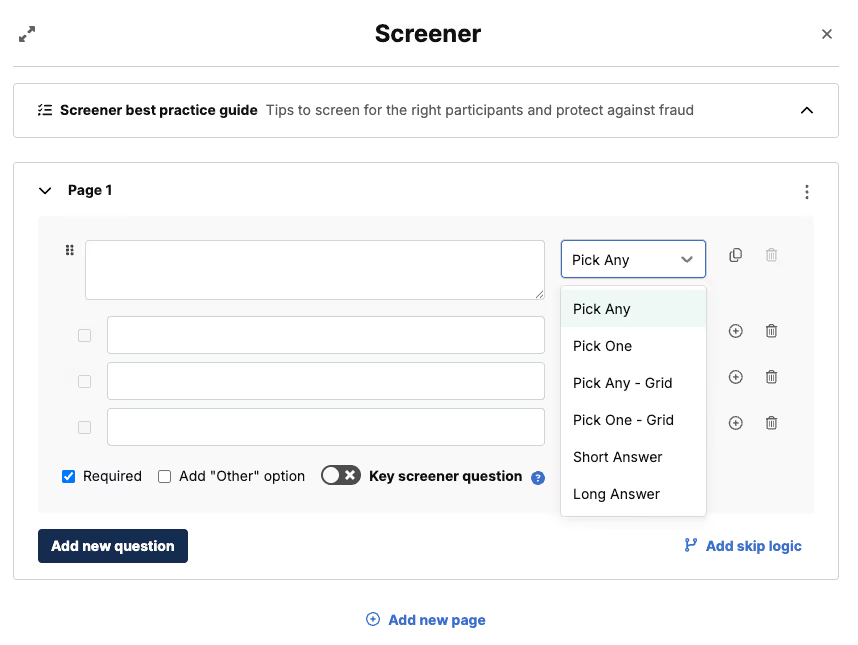
You can create skip logic paths to automatically disqualify irrelevant respondents, use long-form questions to evaluate communication style, or test subject knowledge to confirm that people actually know what they claim.
The system also helps prevent fraud by detecting when participants copy and paste screener responses (a common sign of AI or LLM use).
If you want even more control, User Interviews offers Premium Screening tools. These tools allow you to follow up with screener-qualified candidates via email, phone, or video to ask clarifying questions or manually confirm eligibility.
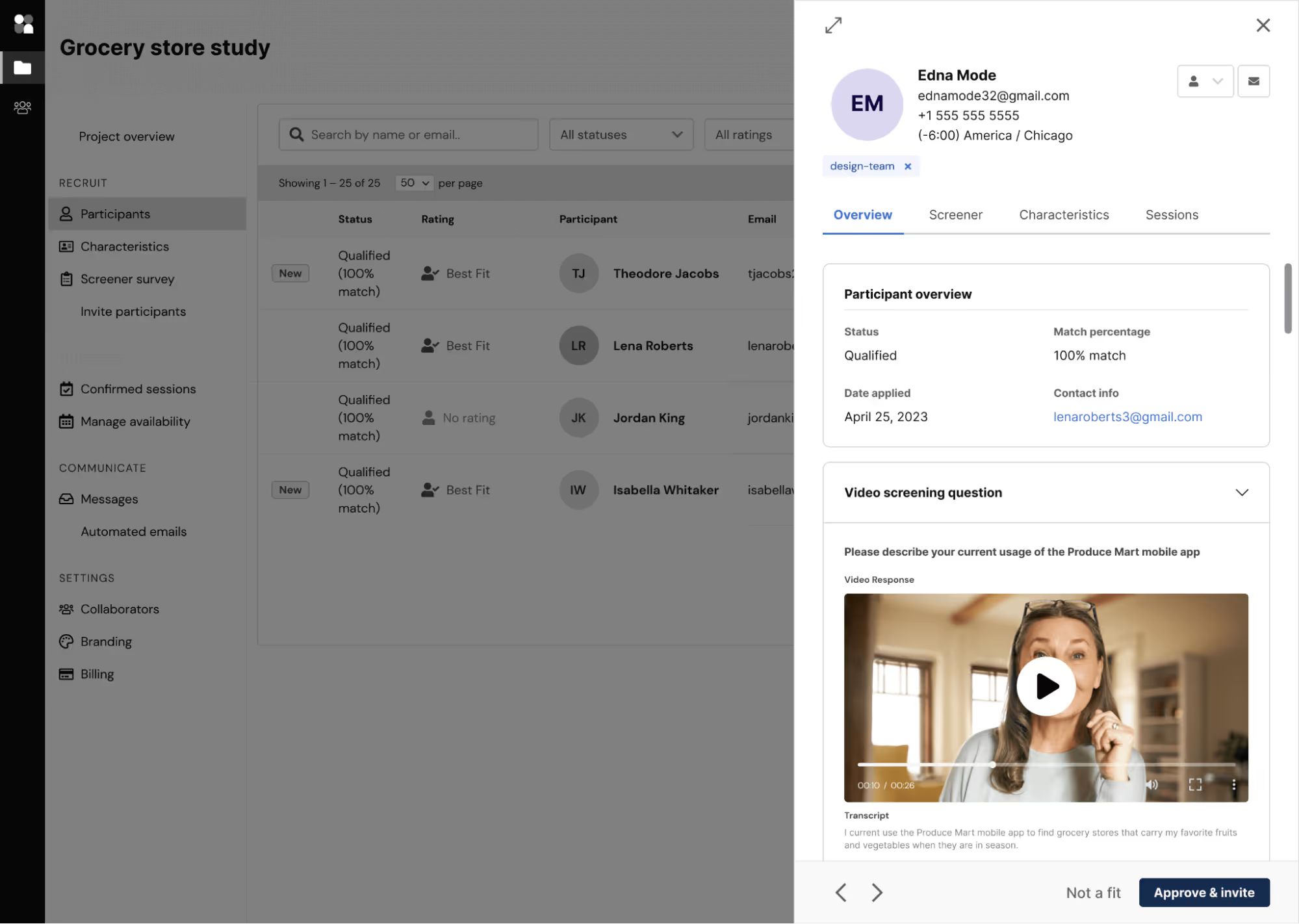
For focus groups, this is especially useful when balancing personality types or screening out dominant voices that might skew group responses.
Researchers can save screener templates, upload bulk answer options, and track participant responses across past studies, making recruiting smarter over time.
Read more about screener survey best practices to ensure you're only bringing in qualified candidates for your focus groups.
Automatically distribute incentives to attract and boost participant engagement
Focus groups are often a labor-intensive research method. Asking participants to share personal opinions, show up at a set time, and engage with strangers takes real attention and emotional energy. If incentives aren't compelling, you'll likely see lower show rates and less thoughtful contributions. And if distributing incentives is a manual, post-session task, it adds unnecessary delays to your process.
User Interviews solves both problems with a fully integrated, automated incentive system that supports over 1,000 gift card options and direct payments in more than 200 countries.
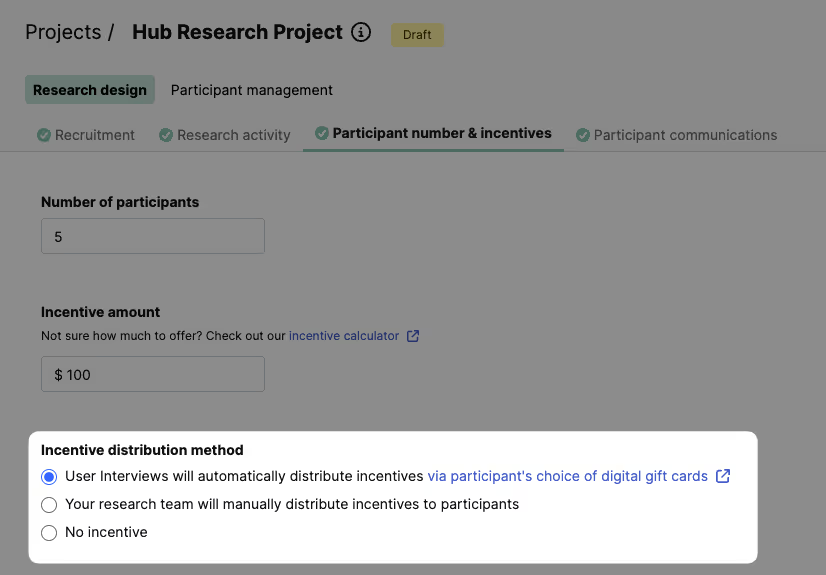
You can offer cash, gift cards (e.g., Amazon, Visa, Starbucks), donations to charity, or customized rewards for completed studies. The platform supports multiple currencies, including USD, GBP, EUR, and AUD.
Once a session is complete, the system automatically delivers the reward. There’s no need for tracking payments with spreadsheets or manual follow-ups to confirm delivery. If you're running multiple sessions or managing a large participant pool, this saves hours of administrative time per project.
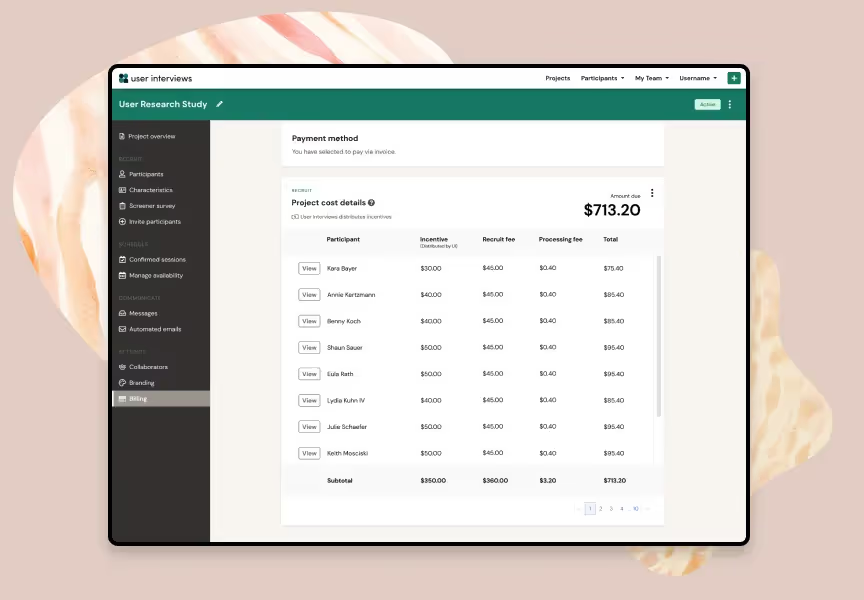
Incentives can also be adjusted mid-project. If you're not getting enough responses or want to boost participation among a hard-to-reach segment, you can increase your reward amount and re-invite candidates without relaunching the entire study.
Automate focus group session scheduling and participant emails to boost engagement
No-shows are a major headache in focus group research. If you need five participants and one or more don't show up, it disrupts group dynamics and can derail the whole session—especially when you’re counting on a small cohort.
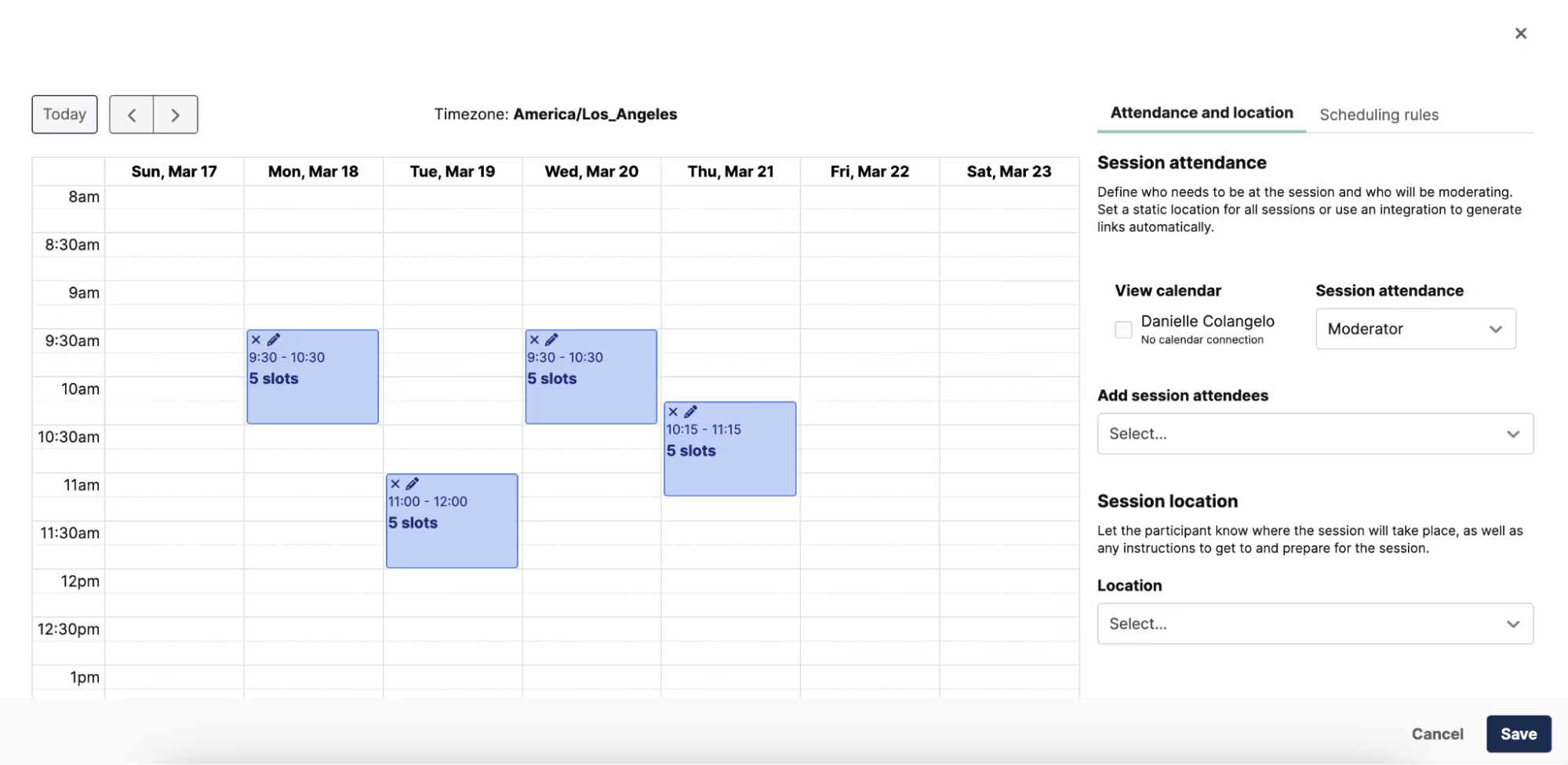
User Interviews solves this with automated scheduling tools that boost session reliability. When setting up a focus group, you can define the number of participants per session, session length, buffer time between groups, and your availability. The system handles the rest—inviting qualified participants, limiting overbooking, and tracking attendance.
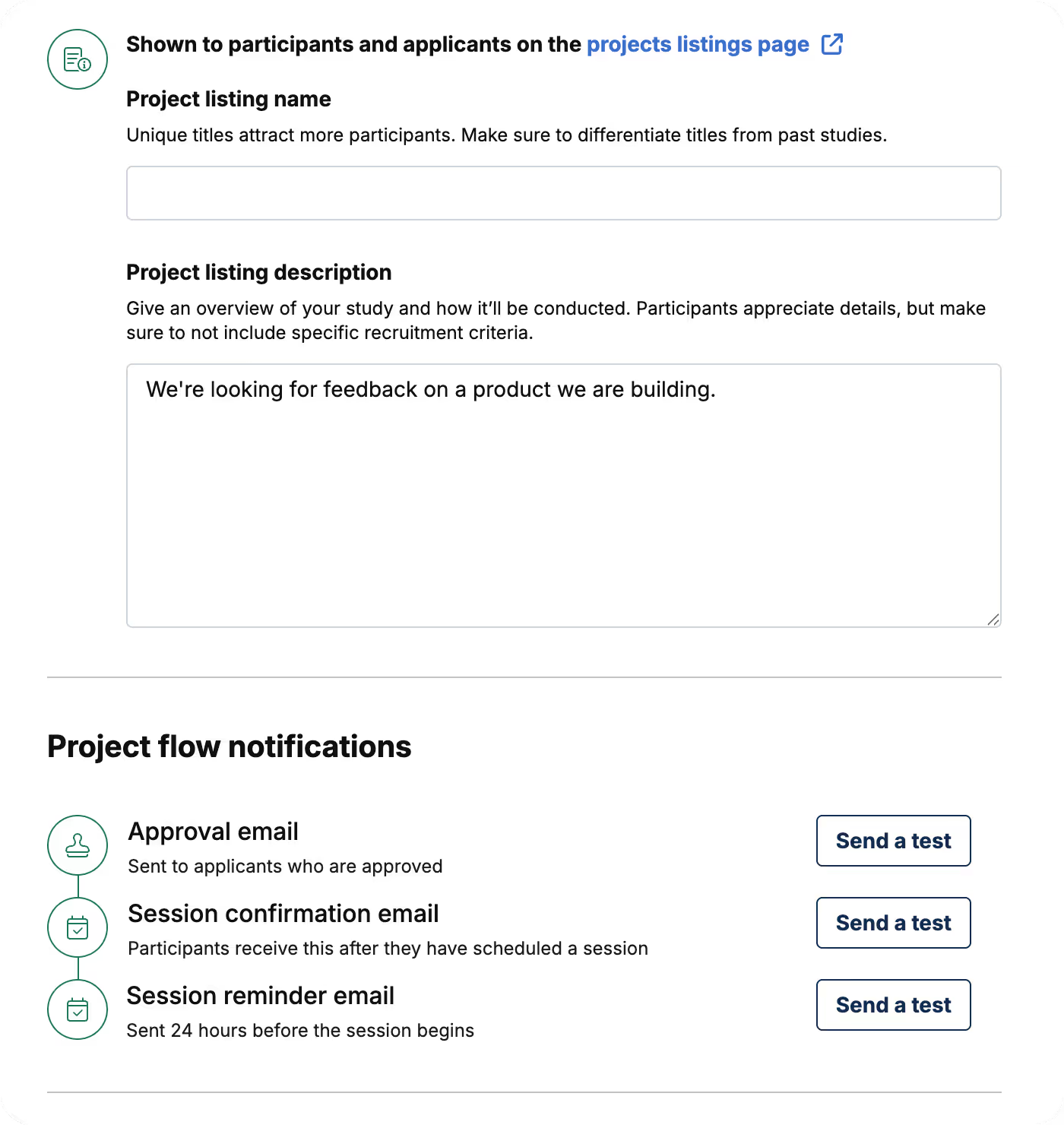
Once participants sign up, they receive a series of automated email reminders, which you can customize in terms of branding, content, and tone. Most teams use a three-to-four touch reminder cadence (e.g., one week out, day before, morning of), which can reduce no-shows, especially when paired with strong incentives.
You can also embed key details into the reminder emails, such as a Zoom link, moderator's name, or instructions for early joining. This removes friction and ensures participants arrive prepared.
User Interviews also supports participant-led rescheduling, so if someone needs to move to a different session time, it’s completely hands-off for the researcher.
You can also set strict session times and the number of participants per session and the scheduling system automatically fills it. There’s also an option to manually reschedule individuals when needed and assign specific researchers or moderators to each group.
Centralize your focus group research with Research Hub and flexible third-party integrations
Managing focus group logistics across multiple sessions, participants, and stakeholders can become complicated, especially when data is stored separately in spreadsheets, email chains, and disconnected third-party tools.
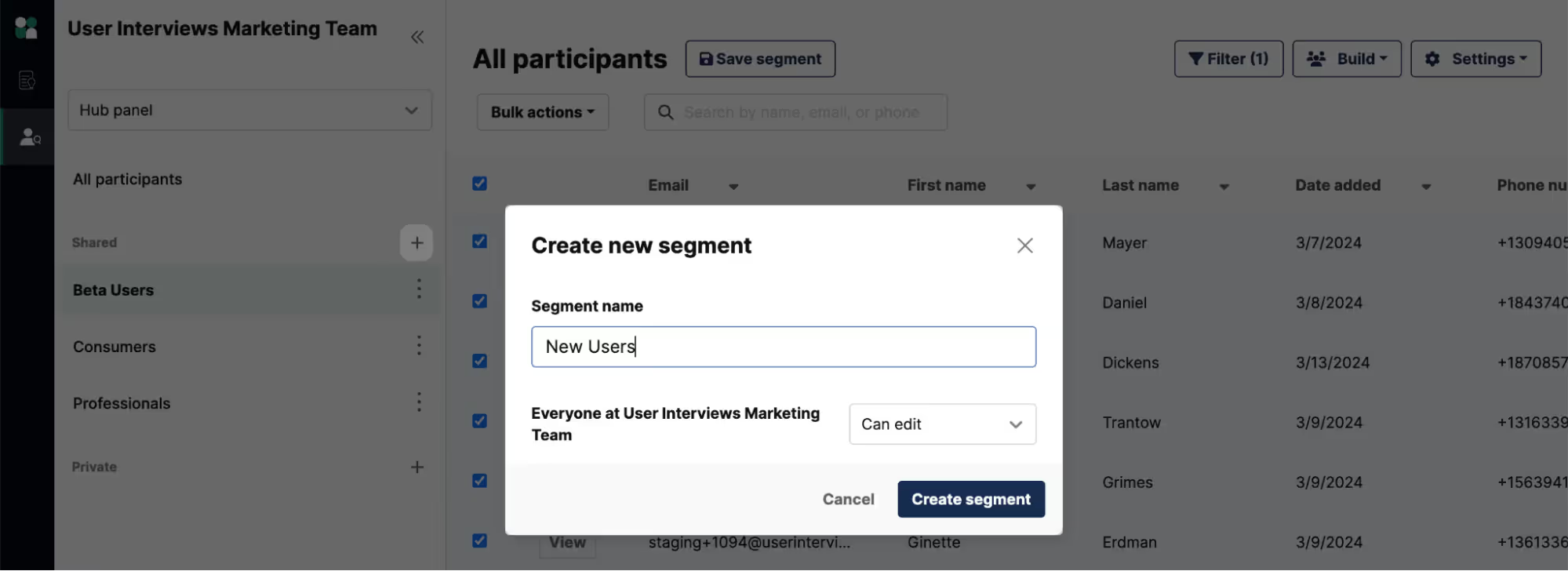
User Interviews’ Research Hub centralizes all participant data—panelists, customers, past respondents—into one unified platform. You can store, segment, and manage contacts across projects, so your team always has visibility into who’s been invited, who’s participated, and who’s eligible for upcoming studies.
The platform offers 20+ integrations for workflow tasks, including the ability to import customer lists from Salesforce or sync segmentation data from Census. This allows Research Hub to integrate directly with the systems your team already uses—reducing manual work and minimizing chances for things to slip through the cracks.
You can also import customer lists, tag them by product usage or persona, and segment for focus group invites accordingly. That means you don’t have to juggle spreadsheets or manually update CRMs—your entire participant ecosystem lives in one place, accessible to your whole team.
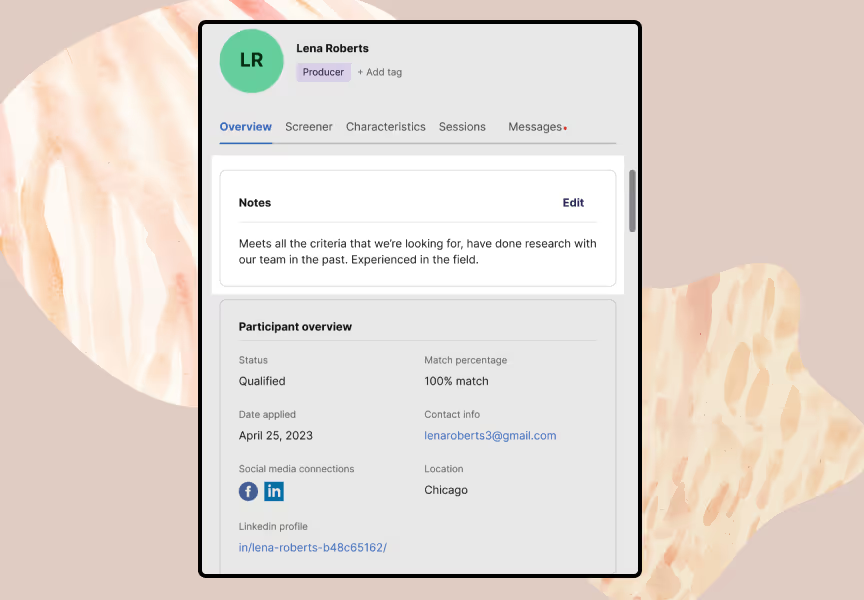
Each Research Hub profile shows project history, screener responses, incentives paid, session attendance, and team notes.
By knowing who’s participated before, you can balance recruitment (e.g., avoiding over-researching the same individuals), identify key participants, and plan longitudinal studies more effectively.
Research Hub’s user-friendly interface makes internal collaboration seamless. Your team can easily access past feedback, track scheduling, and reuse screeners—thereby reducing duplication and improving insight flow across departments.
With Hub, you can nurture and manage your panel, segment participants, and launch new studies knowing you already have qualified individuals ready to reach out to.
Book a demo with User Interviews to learn how our software can help with focus group research.
2. FocusGroupIt
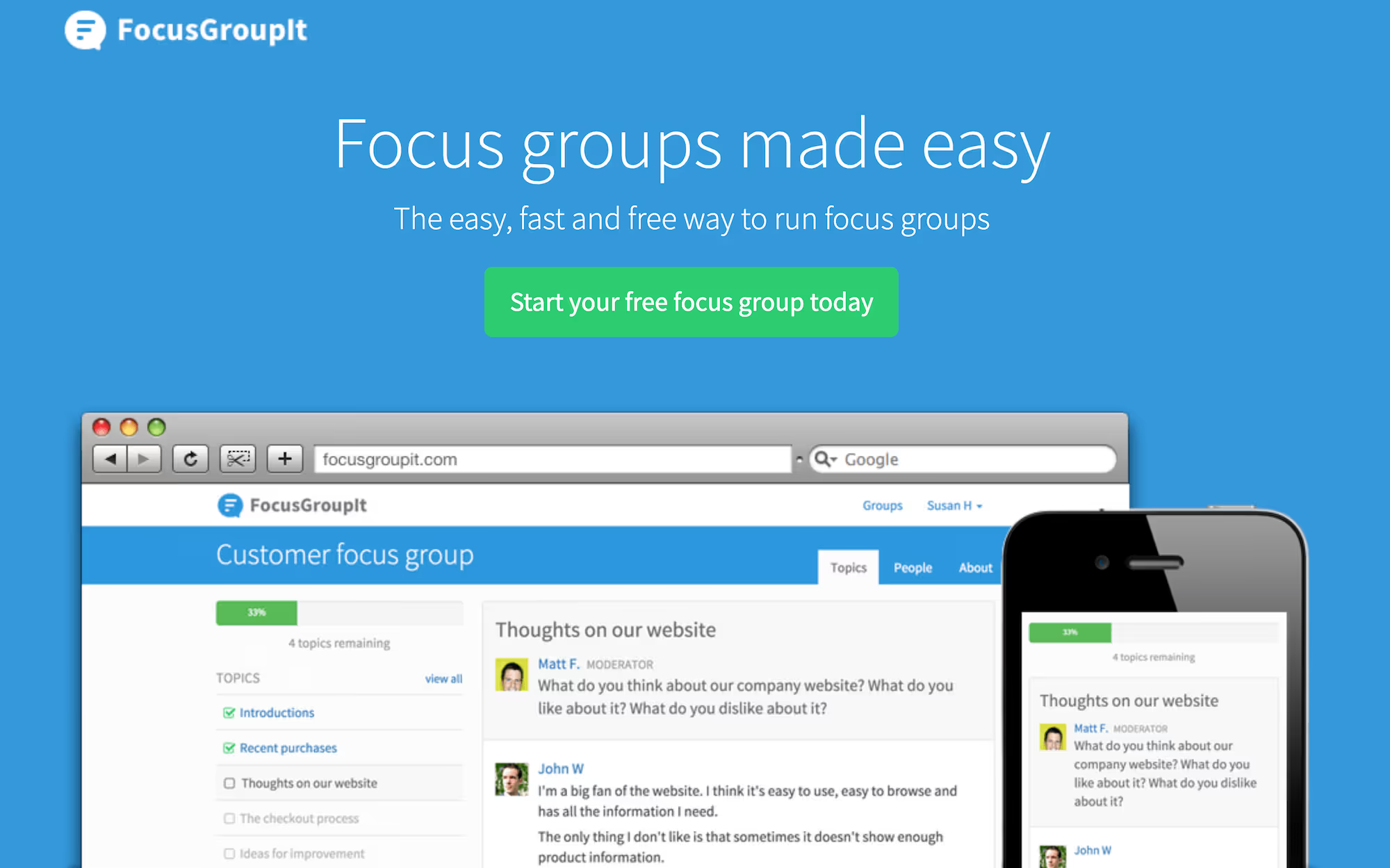
FocusGroupIt is a simple platform that businesses can use to conduct online focus groups and receive quick qualitative feedback. It enables text-based discussions with secure link sharing via social media or surveys, supporting flexible response collection.
They offer a free plan for basic use and a limited number of participants. Paid plans are available with per-group pricing.
3. MAXQDA
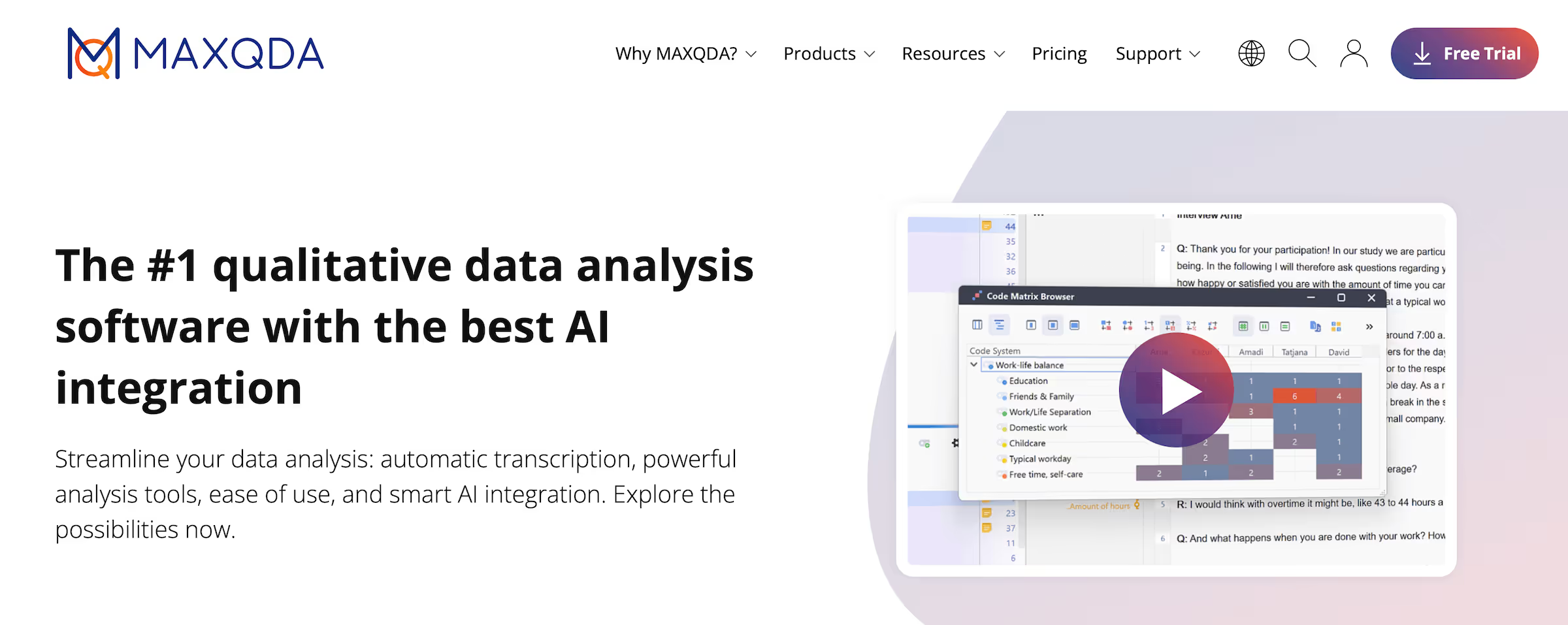
MAXQDA is a qualitative and mixed-methods research platform that offers focus group analysis capabilities across text, audio, and video data. Academic and professional researchers can use the platform to manage larger focus groups to visualize data for faster insights.
Individual plans bill monthly and include a free trial. Enterprise plans offer business license options.
4. QuestionPro
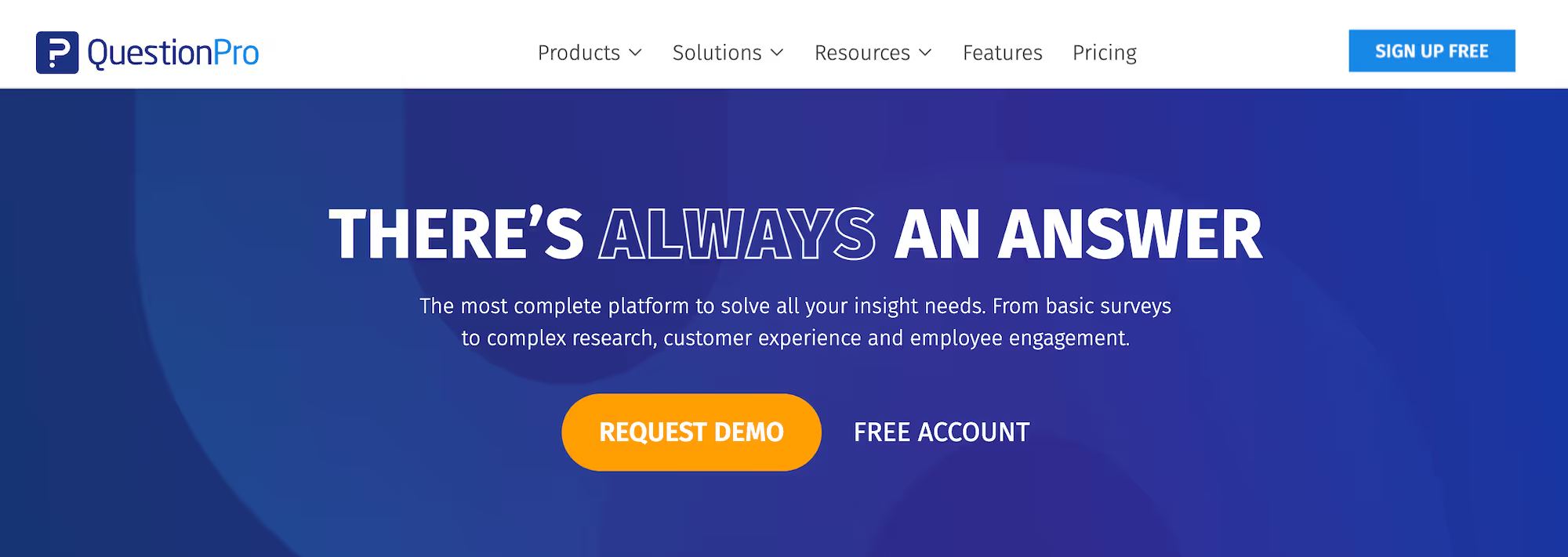
QuestionPro is a research platform for conducting surveys and virtual focus groups. Users can access online discussion forums, idea boards, and relevant topics in the communities tool.
QuestionPro Communities provides researchers with tools to plan and schedule sessions, as well as engage in live group discussions with panelists.
They offer a free tier for basic surveys and custom pricing for focus group features.
5. Forsta
Forsta is a focus group analysis software designed for qualitative and quantitative research teams. It supports live video interviews, virtual focus groups, and in-depth analytics, enabling teams to manage various tasks within a single interface.
Pricing is available upon request, with custom packages based on team size and usage.
6. Looppanel
Looppanel is an AI-powered qualitative research platform built to simplify user interviews and focus group analysis. It automates transcription, tagging, and insights extraction to help research teams save hours on manual work.
However, Looppanel doesn’t offer access to participants through its own panel, so you’ll need to recruit separately or already have your own focus group participants.
Looppanel offers paid plans for solo users or larger enterprise teams.
7. itracks Realtime
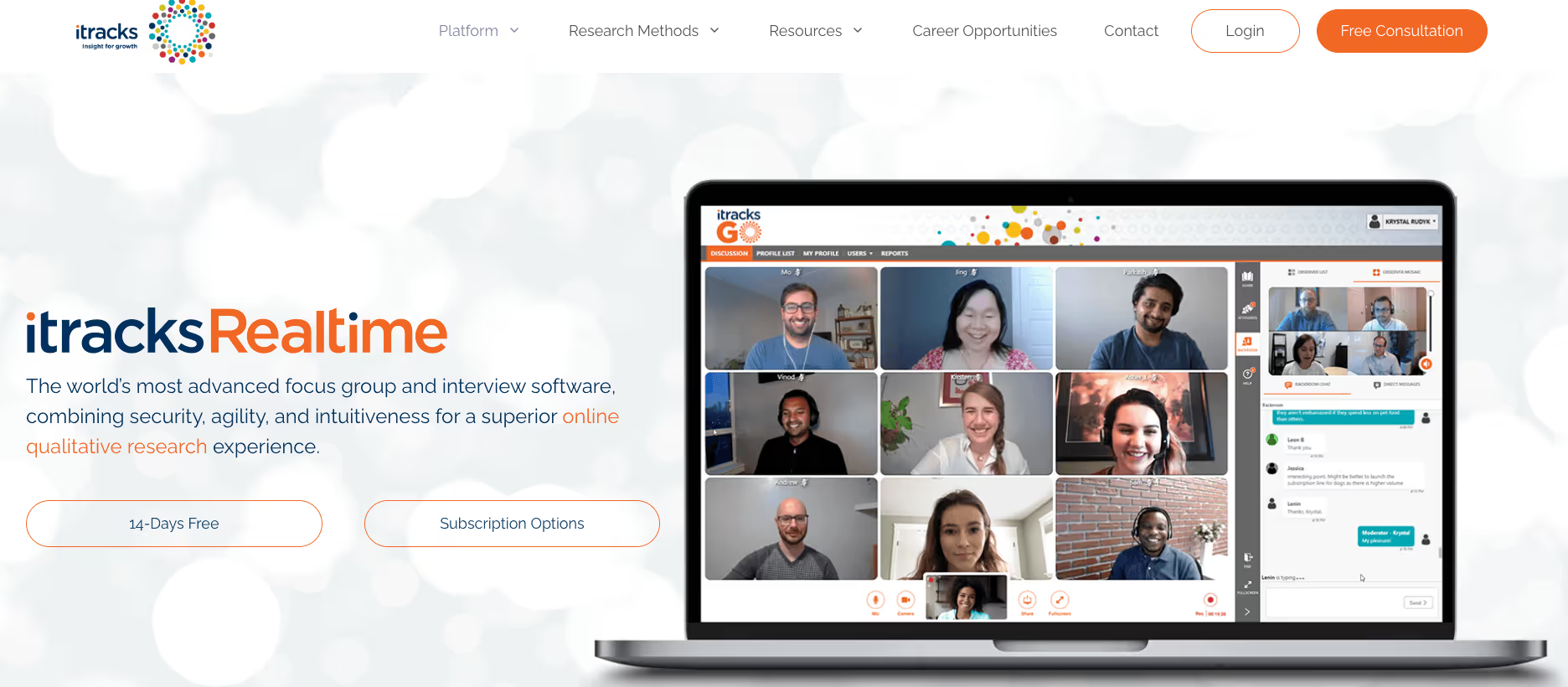
itracks Realtime is a focus group platform offering live online video discussions, full moderator control, and secure client backroom viewing. Market researchers who need professional-grade tools for remote qualitative sessions typically use the platform.
Pricing is custom and varies based on session volume and research scope.
Centralize your focus group research with User Interviews
Relying on multiple tools for scheduling, recruitment, and data analysis slows down your research and risks data quality. User Interviews brings everything together into one platform—so you can manage participants, streamline workflows, and uncover deeper insights faster.
Whether you're importing your own panel, syncing with your calendar, or tapping into our network of 6 million vetted participants, User Interviews helps you run efficient, high-quality focus groups from start to finish.
Ready to automate your focus group research processes? Book a demo with User Interviews to get started.